Have you ever wondered if your smartphone must track your exact location every second of the day just to log your business miles? It is a common question among independent contractors and business owners across the USA. Many drivers want to automate their logs but worry about handing over constant location access to a third party software.
At Way, our team has spent years building intuitive tools for American drivers. We know that maintaining accurate records for the Internal Revenue Service is absolutely critical for your financial success. However, we also understand privacy concerns and the dread of a drained smartphone battery. You might be surprised to learn how these digital applications actually function under the hood.
In this comprehensive guide, we will explore whether a mileage tracking app truly needs satellite technology to function. We will break down what the federal tax rules actually require and compare the different tracking methods available today. Our goal is to help you choose the best solution for your business so you can drive with total peace of mind.
What Does the IRS Actually Require for Tax Deductions?
Many people mistakenly believe the IRS mandates high tech satellite tracking or complicated digital maps for your annual tax returns. This simply is not true. The federal government does not require you to use any specific piece of technology to prove your travel.
According to federal tax guidelines, your logbook must contain four basic pieces of information for every single business trip you claim.
- The exact date of your travel.
- The total distance of the trip.
- The destination you drove to.
- The specific business purpose of the trip.
Notice what is missing from that list? You do not see a requirement for satellite coordinates. You also do not necessarily need starting and ending odometer readings, provided the total distance of the trip is accurately recorded. The IRS asks for a record made at or near the time of each trip, and a log kept as you go carries far more weight than one rebuilt later. Our IRS mileage log guide lists every field.
The Hidden Costs of Forgetting Your Miles
Before we dive into the technology, we need to understand why accurate tracking is so important. Relying on your memory at the end of the month is a dangerous game.
When you fail to record a trip to the hardware store or a quick drive to a client meeting, you are throwing away your own money. The IRS standard mileage rate is designed to cover gas, maintenance, insurance, and vehicle depreciation. Every unrecorded mile is a lost tax deduction.
- Underreporting hurts your wallet: Missing just ten miles a week can cost you hundreds of dollars in lost deductions by the end of the tax year.
- Guesses do not hold up: Round numbers like “exactly 100 miles” every single week look estimated, and estimated mileage is the first thing an examiner challenges in an audit.
- Wasted administrative time: Spending three hours on a Sunday trying to reconstruct your travel history from old calendar appointments is a terrible use of your valuable time.
Why Spreadsheets Are No Longer Enough
For a long time, the standard step up from a paper notebook was an Excel spreadsheet. Drivers would keep a clipboard in their car, jot down numbers, and then type them into a computer later that night.
While a spreadsheet is technically IRS compliant if filled out correctly, it still relies entirely on manual labor. It forces you to do the math yourself. If you accidentally type a wrong number, your entire monthly calculation is thrown off completely.
Furthermore, spreadsheets do not offer any independent proof of your travels. If an auditor questions a specific trip, a spreadsheet is simply your word against theirs. Digital logs with timestamps recorded at the time of each trip are much easier to defend in an audit.
How a Mileage Tracking App Works Without GPS
Because the IRS only requires the total distance and basic trip details, a mileage tracking app can absolutely function without active location services. These manual applications operate much like a highly organized digital version of a paper logbook.
When you use a manual entry system, the software stays completely dormant in the background. It does not ping cellular towers. It does not drain your smartphone battery searching for a signal. Instead, it relies entirely on you to input the data.
Here is how a manual entry application typically functions on a daily basis:
- You open the software before you put your car in drive.
- You type in your starting odometer reading.
- You drive to your job site or client meeting.
- You open the software again and type in your ending odometer reading.
- The software calculates the total distance.
- You manually type in the business purpose and save the file.
This method heavily appeals to drivers who want absolute, undeniable privacy. If you do not want your smartphone knowing where you go on your personal time, a manual system offers a viable alternative to continuous tracking. It also completely eliminates the risk of phantom trips being recorded by mistake.
The Massive Advantages of GPS Mileage Tracking
While manual entry is entirely possible, it is rarely the most efficient choice for busy professionals. Forgetting to open the software just two or three times a week completely defeats the purpose of having it. This is where modern technology steps in to save the day.
Utilizing GPS mileage tracking completely automates your daily record keeping. Instead of relying on your memory or typing numbers into a tiny screen while sitting in a hot car, the software does all the heavy lifting for you in the background.
When you enable location services, your smartphone uses built in motion sensors to detect when your vehicle starts moving. Once you reach standard driving speeds, the application wakes up and begins dropping digital pins along your route. When you park your car and the movement stops, the software calculates the distance you traveled.
Our advanced mileage tracking app takes this incredible convenience even further. You can set recurring trip rules, so if you drive to the same regional supply warehouse every Tuesday, the app classifies similar trips automatically. This level of automation gives you back hours of your time every single month.
Comparing Your Options Side by Side
To help you make the best decision for your daily operations, we have broken down the core differences between manual digital logs and automated satellite systems in a simple, easy to read format.
| Tracking Feature | Manual Digital Logs | Automated GPS Systems |
|---|---|---|
| Data Entry Process | Requires typing numbers for every single trip. | Completely automatic without opening the software. |
| Accuracy Level | Highly prone to human error and forgotten trips. | Records the distance actually driven; review unusual trips. |
| Battery Consumption | Nearly zero battery drain since it stays dormant. | Uses battery mainly while you drive. |
| IRS Compliance | Fully compliant if filled out completely. | Compliant once you add each trip’s business purpose. |
| Privacy Control | Complete location privacy at all times. | Location is recorded to build your trip log; check the provider’s privacy policy. |
As you can clearly see, both methods have their distinct merits. However, if your primary goal is maximizing your tax refund while minimizing your daily administrative workload, an automated system usually wins the debate.
Setting Up Your Smartphone for Maximum Accuracy
If you choose to utilize an automated tracking system, setting your smartphone up correctly is vital. You want the software to capture every single mile without fail.
Here are a few quick tips to ensure your technology works flawlessly:
- Allow Always On Location: For the software to detect when you start driving, it needs permission to run in the background. Selecting “Only While Using the App” will prevent the automatic detection from working properly.
- Disable Battery Optimization: Some aggressive smartphones will force background applications to shut down to save power. You need to exempt your tracking software from these strict battery saver settings.
- Turn on Wi-Fi Scanning: Even when you are not connected to a network, leaving your Wi-Fi antenna on helps your phone triangulate its location much faster than relying on satellites alone.
Addressing Battery Drain and Privacy Concerns
We hear from many American drivers who are hesitant to use GPS mileage tracking because they suffered through older, poorly optimized software in the past. Years ago, leaving your location services running all day would leave you with a dead phone by lunchtime.
Today, the technology landscape is vastly different. Modern software is incredibly intelligent. It does not constantly search for a signal when you are sitting at your desk or eating lunch at a diner. It relies on low power internal sensors, like your phone’s accelerometer, to detect physical movement before it ever turns on the heavier satellite tracking antennas.
Privacy is another major concern that we take very seriously. Way encrypts your location data in transit and at rest, does not sell or share your location with third parties, and lets you delete your data at any time from account settings, as its FAQ sets out.
Streamlining Your Automotive Life With Our Tools
Logging your daily drives is just one piece of the puzzle. At our company, we firmly believe in supporting the modern driver in every single aspect of car ownership. Managing a vehicle for business requires time, money, and constant upkeep.
We provide a comprehensive digital ecosystem designed to take the stress out of daily driving. We want you to focus entirely on serving your clients and growing your business, rather than worrying about administrative paperwork.
By utilizing a dedicated mileage tracking app, you take the first crucial step toward organized, stress free finances. You legally protect your hard earned money from the IRS, and you buy back hours of your own free time.
Conclusion
Navigating the complexities of business travel does not have to be a stressful or time consuming endeavor. While a basic digital tool can function without satellite location services, utilizing intelligent GPS mileage tracking is by far the smartest way to protect your finances. It removes human error, automates your daily paperwork, and gives you strong records for your tax returns.
Our entire team is fully dedicated to providing you with the most reliable, intuitive tools on the market to simplify your daily automotive operations. We want you to spend less time managing software and more time focusing on what truly matters to you. If you are ready to take absolute control of your daily logs, or if you have any questions about optimizing your travel expenses, we are always here to guide you. Reach out and connect with our friendly support team today.
Frequently Asked Questions
Can I switch between manual and automated tracking?
Yes, absolutely. Most high quality platforms allow you to toggle automated tracking on or off depending on your daily needs. If you are taking a long road trip on your personal time and do not want the software running, you can easily disable the background tracking and rely on manual entry for a few days.
What happens if my smartphone loses signal during a drive?
This is a very common concern for drivers in rural areas. Fortunately, modern software is designed to handle temporary dead zones. If you lose your cellular connection, the software continues to record your geographical coordinates locally on your device. Once you drive back into an area with a strong cellular signal, the software quietly uploads the completed trip data to the secure cloud servers.
Do I need to keep the software open on my screen while driving?
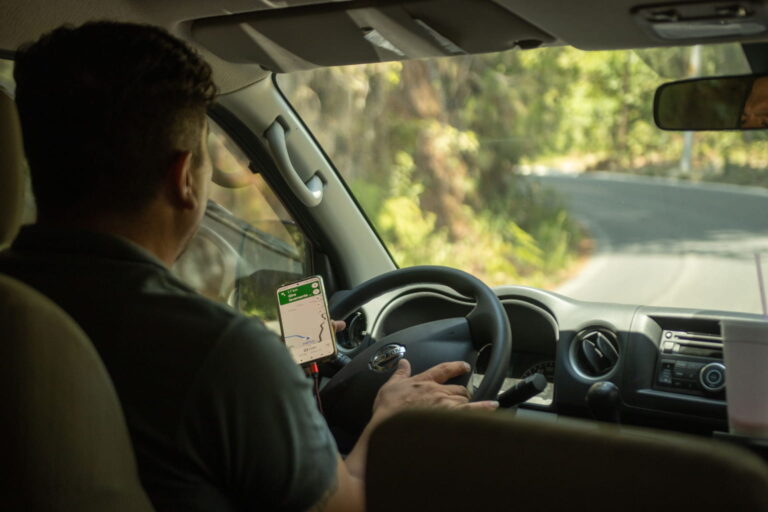
No, you do not need to keep the screen on. Once you grant the proper background permissions, the software operates silently in your pocket or purse. You can freely use your smartphone screen for navigation, answering client calls, or streaming music while the tracker does its job in the background.
How much money can I actually save by tracking my miles?
The financial savings can be absolutely staggering depending on how frequently you travel for work. For 2026, the IRS business rate is 72.5 cents a mile through June 30 and 76 cents from July 1, so five thousand business miles a year comes to more than $3,600 in legitimate tax deductions. Using an automated system makes it far less likely that you miss a mile.
Can an employer track my personal weekend drives with a GPS-enabled mileage tracking app?
It depends on the app and on how your employer sets it up, so ask before you join a company plan. Our mileage tracking app lets you classify every completed trip as business or personal with one tap, and team plans are built around an admin reviewing and approving business mileage claims. Ask your employer what administrators can see, including any team location features, and remember that you control location permissions on your own phone.
Get 10% off in the Way App in the Way App!

- Scan and get the Way App Download the Way App
- Log in to your account
- Use code FIRST10 at checkout