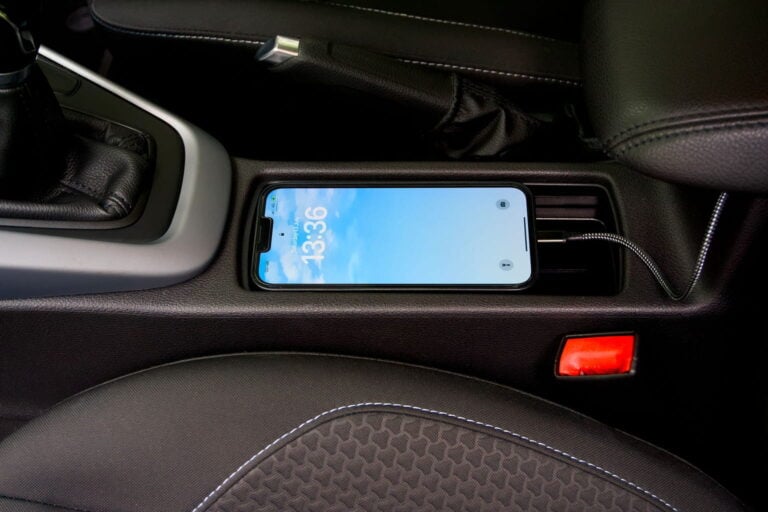
There is nothing quite as stressful as watching your smartphone battery percentage plummet while you are out on the road. For real estate agents, delivery drivers, and independent contractors across the United States, a smartphone is essentially a mobile office. You rely on it for client communications, digital contracts, and navigation. When you add a mileage tracker app to the mix to log your business deductions, you might find your device dying before you even stop for lunch. This battery anxiety is a common struggle for anyone who drives for a living.
At our company, Way, we have spent years studying the habits and frustrations of American drivers. We know that maintaining accurate records for the Internal Revenue Service is critical for your financial success. However, we also believe that capturing those tax deductions should not leave you stranded with a dead device in the middle of a busy workday. The good news is that you do not have to choose between a fully charged phone and a compliant tax log. By understanding how location services consume power and by adopting a few smart habits, you can keep your battery in the green all day long. In this comprehensive guide, we will show you exactly how to optimize your device and explain why choosing the right technology makes a world of difference.
The Hidden Power Drain of Continuous Location Services
To solve the battery problem, we first need to understand what is actually draining your power. When you use your phone for navigation or logging trips, the device listens to signals from multiple satellites orbiting the Earth. This process requires a significant amount of energy. Your phone’s GPS receiver has to stay powered and keep processing those signals to work out your exact location.
Older or poorly designed tracking software operates on a system of continuous polling. This means the software keeps the location antenna turned on at all times, asking for a fresh location fix every second to see if you have moved. If you are sitting in a traffic jam in Los Angeles or waiting in a client’s lobby in Chicago, an outdated application will continue to drain your battery looking for movement that is not happening.
Furthermore, traditional gps mileage tracking heavily relies on cellular tower triangulation and Wi-Fi scanning to supplement the satellite data. If you are driving through a rural area with poor cellular reception, your phone will work twice as hard to search for a signal. This intense background activity generates heat and rapid power consumption. This is why a phone can get hot to the touch and lose a large share of its charge during a short drive. Understanding this limitation is the first step toward reclaiming your battery life.
Why Upgrading Your Mileage Tracker App Changes Everything
The technology behind tracking your drives has evolved tremendously over the last few years. You no longer have to settle for software that treats your battery like an endless resource. Modern developers have figured out how to log your trips with incredible precision while keeping power consumption to an absolute minimum.
When you upgrade to a smart mileage tracker app, you are taking advantage of intelligent motion detection. Instead of keeping the location antenna powered on constantly, our advanced software relies on the low power sensors already built into your smartphone. It uses motion data to tell when you are driving rather than walking or sitting still.
The application essentially stays asleep while you are stationary. The moment your phone detects vehicular movement, the software gently wakes up the location services to begin recording the trip. Once you park your car and the movement stops, the application automatically shuts down the heavy location tracking and goes back to sleep. This smart triggering system reduces battery consumption drastically. You still get the automated logs your tax returns need, but you keep enough battery power to actually conduct your business throughout the afternoon.
Actionable Smartphone Habits to Preserve Power on the Road
While utilizing smart software is the most important factor, your daily device habits also play a massive role in battery preservation. By making a few quick adjustments to your smartphone settings, you can ensure your device stays powered up from your morning commute all the way through your evening drive home.
Manage Your Screen Brightness and Timeout Settings
The screen is the single biggest consumer of power on any modern smartphone. Many drivers leave their screen turned on at maximum brightness while their phone sits in the cup holder. If your tracking application runs automatically in the background, there is no reason to keep your screen illuminated. Lower your default brightness or rely on the auto brightness setting. Additionally, set your screen timeout to thirty seconds so the display shuts off quickly when you are not actively looking at it.
Control Background Refresh for Unnecessary Applications
Your smartphone is likely filled with dozens of applications that constantly refresh their data in the background. Social media platforms, news readers, and retail applications all silently consume battery power while you are trying to work. Dive into your smartphone settings and disable background app refresh for anything that is not essential to your business. This frees up processing power and battery life for the tools you actually need, like your gps mileage tracking software and your email client.
Keep Your Smartphone Out of Direct Sunlight
Heat is the absolute worst enemy of a lithium ion battery. If you mount your phone directly on your dashboard in the middle of the summer, the sun will bake the device. High temperatures cause the battery to drain faster and can permanently damage its overall lifespan. Mount your phone lower on the console or near an air conditioning vent to keep it cool while you drive. A cooler phone operates more efficiently and holds its charge significantly longer.
A Complete Ecosystem for the Modern American Driver
Preserving your phone battery is just one small part of making your daily driving routine more efficient. (If you are curious how the tracking itself works, see our guide to GPS mileage tracking.) If you drive for work, you know that time is money. Wasting time circling city blocks looking for a place to leave your car drains your productivity just as fast as a bad application drains your battery. We believe in providing a holistic approach to your automotive needs.
Our comprehensive platform is designed to take the friction out of every aspect of car ownership. Before you even begin your morning commute, you can use our system to secure affordable, safe parking near your destination. Knowing exactly where you will leave your vehicle eliminates the stress of urban driving and saves you expensive gasoline.
Additionally, maintaining a professional appearance is vital when you use your vehicle for client meetings or ride sharing services. A clean car reflects a detail oriented professional. We make it incredibly easy to find and book a high quality car wash near me with just a few simple taps on your screen. By combining intelligent trip logging, convenient parking reservations, and vehicle maintenance into one seamless ecosystem, we give you the tools you need to succeed on the road.
Maintaining IRS Compliance While Maximizing Efficiency
It is completely natural to worry that a battery saving application might miss important data. After all, the IRS requires exact records. They demand the date, the destination, the business purpose, and the exact distance of every single business trip. If an auditor reviews your logs, they expect to see a flawless, chronological list of your drives.
You can rest easy knowing that modern, battery efficient software is perfectly capable of meeting these strict federal standards. Because the software records location points while you drive, it measures the distance you actually covered, not just the gap between your start and your destination. You get the best of both worlds. You secure the robust documentation required to claim your well deserved tax deductions, and you preserve the device power necessary to keep your business running smoothly all day long.
Conclusion
Managing your automotive tax deductions should never come at the expense of your daily productivity. You rely on your smartphone for nearly every aspect of your professional life, and you need tools that respect your device’s limitations. By upgrading to an intelligent mileage tracker app that utilizes smart motion detection, and by adopting basic battery saving habits, you can effortlessly record every business trip without constantly hunting for a phone charger.
Our team is dedicated to building solutions that make your life on the road easier, more efficient, and far more profitable. We want you to capture every single dollar you are owed at tax time while keeping your daily routine stress free. If you are ready to stop fighting with outdated software and want to experience the difference a truly optimized system can make, we are here to guide you. For more information or to speak directly with our friendly support team, please reach out to us today.
Frequently Asked Questions
Will a mileage tracker app work if my phone is in low power mode?
Yes, most high quality applications will continue to function even if you switch your smartphone into low power or battery saver mode. However, some extremely aggressive battery saving settings might limit background location access on certain Android or iOS devices. We recommend testing your application on a short drive while in low power mode to ensure the trip logs correctly. If it misses the trip, check the app’s settings: on Android, set its battery usage to Unrestricted; on iPhone, set its location access to Always and leave Background App Refresh on.
Does Bluetooth connectivity affect battery consumption during drives?
Connecting your smartphone to your vehicle’s Bluetooth stereo system uses a very minimal amount of power. In fact, many modern tracking systems use your car’s Bluetooth connection as the trigger to start logging a trip. Because Bluetooth Low Energy technology is highly efficient, utilizing it as a trigger is actually better for your battery than forcing your phone to rely solely on constant geographical polling.
How much battery drain is considered normal for tracking software?
It varies with the phone, its battery’s age and the signal, so there is no single number. A well-built mileage tracker app should take only a small share of your battery on a typical hour-long drive, far less than navigation with the screen on. If your battery drops noticeably faster while tracking, open your phone’s battery usage screen to see which app is responsible, then check that app’s location and background settings.
Do I need to keep the app open on my screen for it to work?
No, you absolutely do not need to keep the application visible on your screen. The best software operates entirely in the background. You can keep your phone locked in your pocket or purse, or use your screen for navigation and taking client calls. The software will silently and efficiently record your drives without requiring your active attention or screen time.
Get 10% off in the Way App in the Way App!

- Scan and get the Way App Download the Way App
- Log in to your account
- Use code FIRST10 at checkout