When you drive for work, the number that matters is often not the route on a map. It is the actual distance you traveled. A client visit might include a detour for traffic, a stop at another job site, or a missed turn that adds another few miles. Remembering those details later is difficult.
That is where GPS mileage tracking becomes useful. Instead of asking you to reconstruct every trip from memory, GPS technology uses location data collected during the drive to estimate the distance traveled and create a record of the journey.
At Way, we look at mileage as part of the broader driving experience. Way brings mileage tracking together with other everyday vehicle services, giving drivers a single place to manage more of what happens on the road.
But how does a phone actually turn satellite signals and location points into a mileage number? The answer involves several steps, and understanding them also explains why GPS mileage does not always match your odometer or a map estimate.
What Does GPS Mileage Tracking Actually Measure?
GPS mileage tracking measures the movement of a vehicle by recording its changing geographic position during a trip.
Your phone or tracking device receives positioning information and uses those location points to determine where you were at different moments. The system then uses the movement between those points to estimate how far you traveled.
It does not simply calculate the distance between your starting point and destination.
Imagine you leave your home, drive five miles to a client, take a three-mile detour around road construction, and then travel another two miles to a second appointment. A straight-line measurement between your first and last locations would miss much of that movement.
A useful car mileage tracker instead attempts to follow the path you actually drove.
That distinction matters for anyone who needs a practical record of business travel.
How Does a GPS System Know Where You Are?
GPS relies on signals from satellites orbiting Earth. Your phone’s positioning system uses those signals to determine its location.
The basic process looks like this:
- Satellites transmit signals. Your device receives timing information from multiple GPS satellites.
- The device determines its position. It calculates where it is based on the signals it receives.
- The location changes as you move. During a drive, the device collects new position information over time.
- The tracking system connects the movement. The software uses successive location points to reconstruct the journey.
- The trip distance is calculated. The system adds the estimated distance traveled between those points.
- The completed trip becomes a mileage record. Depending on the tracker, the record may include time, route, distance, and other trip information.
Modern smartphones can also use other location technologies alongside GPS. This helps the device maintain a useful location estimate when satellite visibility becomes less reliable.
How Is Driving Distance Calculated From Location Points?
This is the part that often gets overlooked.
Suppose a tracker records three points during a short drive:
| Location point | Example position | What it tells the tracker |
|---|---|---|
| Point A | Starting location | Where the trip begins |
| Point B | Mid-route position | How the vehicle has moved |
| Point C | Destination | Where the trip ends |
The system estimates the distance from A to B and from B to C, then combines those distances.
With a real trip, there may be many more location points. More points give the system additional information about the route, although the accuracy of the final distance still depends on the quality and frequency of the location data.
This explains why GPS mileage is not the same thing as measuring a route with a ruler on a map.
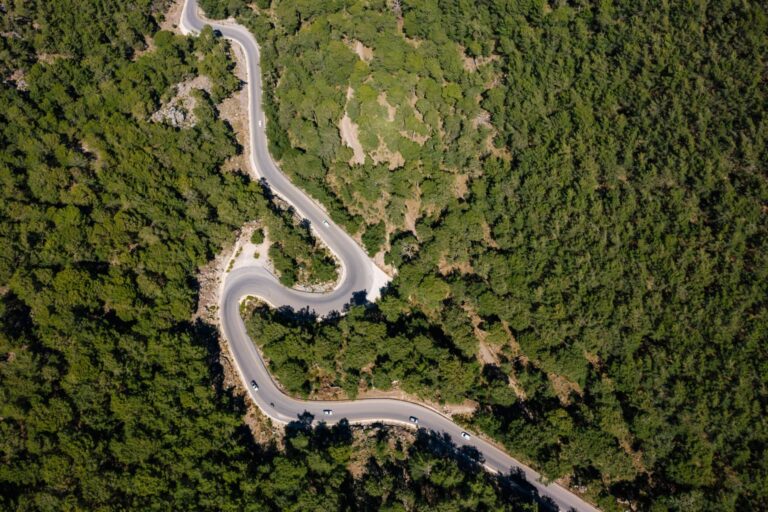
If you drive around a block, make several turns, or take a winding road, the tracker has more movement to account for. A direct A-to-C calculation would understate the distance.
Why Your GPS Mileage Can Be Different From a Map Estimate
Have you ever entered an address into a navigation app and noticed that the mileage after the trip was slightly different?
That does not automatically mean the tracker is wrong.
A map estimate usually describes a planned route. GPS mileage tracking records what happened during the drive.
You might:
- Take a different street than the suggested route
- Miss a turn
- Follow a temporary detour
- Drive around a parking lot
- Stop at another location
- Take a different entrance to a property
- Change your route because of traffic
The planned route and the completed route are two different things.
This is one reason an automatic car mileage tracker can be more useful for recordkeeping than copying the distance shown before you leave.
Does GPS Count Every Turn and Detour?
It attempts to capture the movement represented in the available location data, including changes in direction and additional driving.
That does not mean every GPS point will be perfectly precise.
Location technology works with estimates. Tall buildings, underground garages, tunnels, dense tree cover, weak signals, device settings, and other conditions can affect the quality of location information.
A short period of inaccurate positioning does not necessarily ruin an entire trip. The tracking system may still have enough reliable information before and after the interruption to produce a useful overall distance.
The important point is to understand what the mileage number represents: an estimate of the route traveled based on recorded movement, rather than a direct physical measurement of every tire rotation.
GPS Mileage vs. Your Car’s Odometer
Your vehicle’s odometer and a GPS tracker answer slightly different questions.
An odometer records distance through the vehicle’s own systems. GPS tracking calculates distance from geographic movement.
| Feature | GPS mileage tracking | Vehicle odometer |
|---|---|---|
| Main measurement | Geographic movement | Vehicle movement |
| Records trip location | Yes | No |
| Separates individual trips | Often | Usually no |
| Can classify business/personal trips | With tracking software | No |
| Records route information | Often | No |
| Useful for trip-by-trip records | Yes | Limited |
| Dependent on location data | Yes | No |
Neither measurement exists simply to replace the other.
If you need to know the vehicle’s total mileage, the odometer remains the natural reference. If you need a record showing individual journeys, dates, distances, and potentially business or personal classifications, GPS-based tracking offers information the odometer does not provide.
What Happens When GPS Loses Accuracy?
GPS does not need to be perfect every second to produce a useful trip record.
Consider driving through a tunnel. The phone may temporarily lose a clear view of the satellites. When you emerge, positioning can become available again.
The same issue can occur in underground parking structures or areas surrounded by tall buildings.
A tracking system may use the reliable location points before and after the interruption to estimate the route. The resulting mileage can still be useful, but drivers should understand that unusual conditions may introduce small discrepancies.
This is also why you should not treat a GPS mileage figure as an infallible measurement. Our guide to GPS mileage tracking accuracy covers what affects it.
A sensible routine includes checking unusual trips rather than assuming every automatically generated number needs no review.
What Can Affect the Distance a GPS Tracker Reports?
Several factors can influence the mileage calculated from location information.
Signal environment: Open roads usually provide better positioning conditions than enclosed or heavily obstructed areas.
Location permissions: If an app cannot access location information appropriately, it cannot build a complete trip record.
Battery settings: Aggressive power-saving settings may restrict background activity or location access.
Sampling behavior: A tracker that records location periodically has fewer points to work with than one receiving continuous high-frequency data.
Driving conditions: Complex routes, frequent stops, parking-lot movement, and detours create more complicated trip paths.
Device placement: How a phone is carried or positioned can influence the broader quality of location and motion signals.
Data gaps: Missing portions of a journey make the distance harder to reconstruct accurately.
No single factor determines accuracy on every trip. The quality of the complete record depends on how these conditions interact.
Why Automatic Tracking Still Needs Human Review
Automation removes much of the memory work, but it does not remove the need for judgment.
A tracker might capture a short trip you forgot about. It might also detect movement that was not actually a business trip. Perhaps you moved your car from one side of a parking lot to another, or someone else drove the vehicle.
That is why a good mileage routine has two parts:
Automatic capture: Let the technology record the trip while you focus on driving.
Human review: Check the resulting records, correct unusual entries, and classify trips appropriately.
Way’s mileage tracker follows this practical approach by automatically logging trips and allowing drivers to sort drives with a tap. Its mileage system also supports multiple vehicles and tax-ready reports.
The goal is not to make drivers stare at mileage data all day. It is to reduce the amount of information they have to reconstruct later.
A Practical Way to Think About GPS Mileage
There is a useful distinction between capturing distance and proving the purpose of a trip.
GPS can help establish where a vehicle traveled and how far it went. It does not automatically know why you made the trip.
For example, the system might know that you drove 18 miles from your office to another location. It cannot determine from satellite positioning alone whether you went there for a client meeting, a personal appointment, or another reason.
That context still belongs in your records.
For business drivers, this distinction makes regular review important. A mileage record becomes more useful when the driver keeps the supporting details associated with each trip rather than treating the distance alone as the complete record.
How Way Uses GPS Mileage Tracking
Way approaches mileage tracking as more than a digital replacement for a notebook.
Its mileage tracker automatically records trips, allows drivers to classify drives, supports multiple vehicles, and produces reports designed for mileage-related recordkeeping.
The broader idea is simple: mileage should fit into the way people already drive.
You should not have to remember to press a button every time you leave a job site. You should be able to review your trips afterward and make corrections when something needs attention.
If you want to try Way for yourself, you can explore the Way Mileage Tracker and see how automatic trip logging fits into your routine.
GPS Mileage Is Also Part of the Cost of Driving
Distance does not exist in isolation. The more you drive, the more you interact with other vehicle expenses.
Fuel is an obvious example. A driver covering hundreds of business miles each week will notice fuel costs quickly, especially when driving conditions, vehicle efficiency, and fuel prices change.
Way also connects mileage-related driving activity with fuel savings. Its gas service lets drivers search participating stations and access available savings through the Way platform.
That makes the mileage number more useful as part of the larger picture. You can see how much you drive while also paying attention to the recurring costs associated with those miles.
How to Make Your GPS Mileage Records More Reliable
You do not need to become a GPS expert. A few simple habits help.
Keep Location Access Enabled
Check that your mileage app has the location permissions it needs. Restricting background access can create gaps in automatic tracking.
Watch Your Battery Settings
Some phones use aggressive battery-saving features that limit background activity. Review those settings if trips frequently appear incomplete.
Review Trips Regularly
Do not wait until tax time or reimbursement day. A quick weekly review makes unusual trips easier to recognize.
Correct Exceptions While They Are Fresh
If a trip looks wrong, check it while you still remember where you went. Memory becomes less reliable as weeks pass.
Keep Business and Personal Driving Separate
Automatic mileage capture records movement, not intent. Classify trips according to their actual purpose.
GPS Mileage Tracking: Quick Accuracy Checklist
| Check | Why it matters |
|---|---|
| Location permissions | Allows the app to receive location data |
| Background access | Helps prevent missed portions of trips |
| Battery settings | Reduces restrictions on tracking activity |
| Signal conditions | Explains some location gaps |
| Trip review | Catches unusual or incorrect records |
| Business classification | Adds context to recorded distance |
| Regular review | Prevents a backlog of corrections |
Final Thoughts
GPS mileage tracking works by turning changes in geographic position into an estimate of the distance traveled. The system detects movement, records location information, reconstructs the route, and calculates the distance between successive points.
It will not behave exactly like an odometer, and it should not match every pre-trip map estimate. Those tools measure different things.
For drivers who need individual trip records, the real advantage comes from combining automatic capture with regular review. Let the technology handle the repetitive part, then use your own knowledge of the trip to confirm the details.
That is the approach Way takes with its mileage tools: make trip tracking easier while keeping it connected to the broader realities of driving. If you want to explore the platform, you can contact the team. You can also refer a friend to Way if you already use its services.
Frequently Asked Questions
How does GPS mileage tracking calculate driving distance?
GPS mileage tracking records changing location points during a trip and estimates the distance traveled between those points. The system combines those segments to create an overall mileage figure.
Is GPS mileage the same as the distance on my car’s odometer?
Not necessarily. An odometer measures distance through the vehicle’s own systems, while GPS tracking calculates distance from geographic movement. Small differences between the two can occur.
Why does my car mileage tracker show more miles than a map?
A map may show the distance of a suggested or planned route. A car mileage tracker records the route you actually traveled, which may include detours, missed turns, extra stops, or other changes.
Can GPS mileage tracking work if the signal becomes weak?
A temporary loss of reliable positioning can create a gap in location data. Depending on the tracking system and the length of the interruption, the trip may still be reconstructed using available information, but unusual trips should be reviewed.
Do I still need to review automatically recorded mileage?
Yes. Automatic tracking records movement, but it does not always know the purpose of a trip. Reviewing your records helps identify incorrect trips, classify business and personal driving, and correct exceptions while the details are still fresh.
Get 10% off in the Way App in the Way App!

- Scan and get the Way App Download the Way App
- Log in to your account
- Use code FIRST10 at checkout