You probably do not forget the big drives. A trip to a client across town or a full day spent visiting job sites tends to stick in your memory. It is the quick trips that cause trouble. The extra stop at a supplier. The short drive from one client to another. The meeting that was only five miles away.
By the end of the month, those little trips can be surprisingly difficult to remember.
That is one reason people turn to a mileage tracking app. Instead of keeping a notebook in the glove compartment or trying to rebuild a spreadsheet from memory, you can have your drives recorded as you go.
Way takes that idea beyond simple mileage logging. Its Mileage Tracker automatically records drives, lets users sort trips, supports multiple vehicles, and provides tax-ready reports. The service also connects mileage tracking with other driving-related benefits.
Still, there are plenty of mileage apps out there. Some are built mainly for tax records. Others focus on employee reimbursement, expenses, or broader vehicle management.
So what should you actually look for?
The answer is not simply “the app with the most features.” It is the one that handles the parts of mileage tracking that matter to you without turning everyday driving into another administrative task.
Start With the Problem You Are Trying to Solve
Before comparing apps, think about why you need one.
A self-employed photographer who drives to several shoots each week may care most about automatic tracking and easy trip classification. A real estate agent might need detailed records for trips between properties. Someone who receives mileage reimbursement from an employer may care more about reporting and documentation.
Your driving pattern matters, too.
Do you make one or two work trips a week? Or are you in the car all day? Do you use one vehicle? Do you switch between a personal car and a work vehicle?
Answering those questions first makes the rest of the comparison much easier. If you are choosing for a team, see what a mileage tracker for business needs.
1. Automatic Mileage Tracking
This is probably the first feature worth checking.
Manual logging sounds manageable until you actually have to do it every day. You finish a meeting, get back in the car, and tell yourself you will write down the mileage later. Then another appointment happens. Then dinner. Then the next morning arrives.
The trip is easy to forget.
Automatic tracking removes much of that friction. Instead of remembering to start a log for every drive, the app detects trips and records the relevant mileage information.
Way’s Mileage Tracker uses automatic trip tracking, so users do not have to build every entry manually.
That does not mean you should never review your trips. Automatic systems still need occasional checking, particularly when you make unusual trips or change your driving routine.
2. Business and Personal Trip Classification
A mileage log becomes much more useful when you can tell which trips were for work and which were not.
Imagine you leave home, stop at a client’s office, drive to a hardware store for supplies, and then head home. Not every mile in that sequence necessarily has the same business purpose.
A useful app should make classification straightforward. You should be able to look at a recorded trip and quickly mark it according to its purpose.
Editing matters here, too. You may not remember whether a particular trip was business-related when it first appears in your log. Being able to come back later and update the entry is much more practical than having to create a new record.
3. Reliable Trip Information
Distance is only one part of a useful mileage record.
Depending on the app, you may want information such as:
- Date of the trip
- Start and end locations
- Distance traveled
- Business or personal classification
- Vehicle used
- Notes about the trip
GPS technology makes automatic mileage recording possible, but it is still sensible to review your history. Phone settings, location permissions, battery restrictions, and other factors can affect background tracking.
Think of the app as a tool that reduces your recordkeeping workload, not as something that means you never have to look at your records again.
4. Reports You Can Actually Use
This is where some mileage trackers become much more useful than a simple trip counter.
If you have tracked 400 individual drives, you probably do not want to scroll through all 400 entries when you need a summary. You want to turn those records into something you can review, save, or share.
Before choosing a mileage tracker app, look at its reporting options.
Can you select a particular date range? Can you separate business and personal miles? Can you organize records by vehicle? Can you export the information?
Those details may seem minor when you first install an app. They become much more important when you need your records months later.
| Feature | Why it matters | Who may need it most |
|---|---|---|
| Automatic trip detection | Cuts down on manual entry | Frequent drivers |
| Business/personal classification | Keeps different types of driving separate | Self-employed workers |
| Trip details | Gives context to each drive | Tax and reimbursement users |
| Reporting | Turns individual trips into usable records | Business drivers |
| Multiple vehicles | Keeps mileage organized | Families and business owners |
| Editing | Allows corrections after a trip | Anyone using automatic tracking |
| Export options | Makes records easier to share | Employees and professionals |
5. Support for Multiple Vehicles
One car is simple.
Two or three cars are where things can get messy.
Maybe you use your personal vehicle for client meetings but a second vehicle for deliveries. Maybe you have several vehicles in your household. Or perhaps you run a small business where different vehicles are used for different jobs.
In these situations, separate vehicle records can save a lot of sorting later.
Check whether the app lets you add multiple vehicles and whether historical trips remain associated with the right vehicle. You should not have to reconstruct that information manually at the end of the year.
Way includes multiple-vehicle support as part of its Mileage Tracker feature set.
6. Easy Corrections and Review
Automatic tracking is convenient, but no system should leave you stuck with whatever it records.
There will be times when you need to correct a trip. Maybe the app captured a personal drive that you do not need in your business records. Maybe you forgot to classify a trip. Maybe you used a different vehicle that day.
A good app should give you a straightforward way to review and adjust your records.
This is one of those features that is easy to overlook when comparing screenshots on an app store. It becomes much more noticeable after you have accumulated several weeks of mileage.
A useful rule is to look for automation with control. Let the app do the repetitive work, but make sure you can still manage your records yourself.
7. Tax-Friendly Recordkeeping
Tax season is one of the most common reasons people start looking for a mileage tracking app.
That makes good recordkeeping important, but there is a distinction worth remembering: an app can help you organize mileage, but it does not decide whether a particular trip qualifies for a tax deduction.
IRS rules and your individual circumstances determine how vehicle mileage may be treated.
The mileage rate itself can also change. For example, the IRS set the 2026 business standard mileage rate at 72.5 cents per mile for January 1 through June 30. It later revised the business rate to 76 cents per mile for July 1 through December 31, 2026.
That is a good reminder not to treat a mileage rate as a permanent number.
If you use your records for tax purposes, keep appropriate supporting documentation and check the latest IRS guidance. When your situation is complicated, a tax professional can help determine which rules apply.
8. Privacy and Location Permissions
There is another question that often gets pushed aside when people compare mileage apps: what happens to your location data?
Automatic mileage tracking needs location information to work. Before enabling that feature, read the app’s privacy information and check the permissions it requests.
It is worth knowing:
- Whether the app tracks in the background
- What location permissions it needs
- How account and location information are handled
- What controls you have over tracking
- How you can stop or change permissions
Convenience should not come at the expense of understanding what an app is allowed to access.
9. Battery and Background Performance
Your mileage tracker should quietly do its job.
If you have to constantly reopen the app, adjust permissions, or worry about whether your phone battery will survive the afternoon, the convenience starts to disappear.
GPS and background location services can affect battery use. Phone settings can also interfere with background activity. Before relying heavily on an app, spend some time using it during a normal driving week.
Pay attention to whether trips are being recorded consistently and whether the app fits comfortably into your existing phone habits.
10. Features That Match Your Actual Routine
A long feature list can look impressive. It does not necessarily make an app a good fit.
Someone who drives occasionally for freelance work may not need the same tools as a contractor who makes ten stops a day.
Ask yourself:
- How often do I drive for work?
- Do I need automatic tracking?
- Do I use multiple vehicles?
- Will I need reports for reimbursement?
- Do I need to share records with an accountant?
- How often will I review my trips?
- Do I want mileage tracking only, or other vehicle services too?
Your answers should guide the decision.
There is little value in paying for five features you never use if the one feature you really need is buried under a complicated interface.
Where Way Fits Into the Picture
Way approaches mileage tracking as part of a broader driving experience.
Its Mileage Tracker automatically records trips, supports multiple vehicles, lets users sort drives, and provides tax-ready reports. The service also includes additional vehicle-related benefits, including parking and car wash savings.
That broader setup may appeal to drivers who do more than simply track business miles.
Think about a typical workday. You track a trip to a client. Later, you need to find a place to park. Another day, you want to clean the car after several weeks of driving. With Way, those activities sit within the same wider platform.
For example, drivers can use Way to find parking when they need a place to leave the car during a work trip. If the vehicle needs some attention afterward, they can also look for a car wash near them.
That does not mean every driver needs all of these services. The useful question is whether the combination fits your normal driving habits.
Free or Paid: Which One Makes Sense?
Price is an obvious part of the decision, but it should not be the only number you look at.
A free mileage app may cover basic tracking. Another service may put advanced reporting, additional vehicles, or other features behind a paid plan. Some platforms also bundle mileage tracking with unrelated vehicle benefits.
Before signing up, compare what you actually receive.
| What to check | Question to ask |
|---|---|
| Free access | What features are included? |
| Paid plans | What changes when I upgrade? |
| Tracking | Is automatic detection included? |
| Reports | Can I create the records I need? |
| Vehicles | How many can I add? |
| Data | Can I review and export my records? |
| Extra services | Will I realistically use them? |
Do not compare subscriptions on price alone. Consider the amount of manual work each option saves you.
A cheaper app that requires frequent manual entries may not feel cheaper after a few months.
A Five-Minute Test Before You Choose
You do not need to spend an entire afternoon researching mileage apps.
Open the app’s feature and pricing pages and answer five questions:
Does it record trips automatically?
If you are likely to forget manual entries, this should be near the top of your list.
Can you separate business and personal driving?
You want an easy way to keep those records distinct.
Can you correct mistakes?
Automatic tracking is much more useful when you can edit what it captures.
Can you produce the reports you need?
Think ahead to tax preparation, reimbursement, accounting, or any other reason you are keeping the records.
Does it fit the way you drive?
Consider your number of vehicles, frequency of trips, phone setup, and whether you need anything beyond mileage tracking.
Five minutes spent answering those questions can eliminate a surprising number of unsuitable options.
Do Not Skip the Weekly Review
Even with automatic tracking, it is worth looking over your mileage regularly.
You do not need to spend an hour on it. A few minutes once a week can be enough to spot an incorrectly classified trip, add a note, or remove something that should not be part of your records.
It is much easier to remember what happened last Tuesday than what happened three months ago.
That simple habit also gives you a chance to notice patterns. If you repeatedly forget to classify a particular type of trip, for example, you can change your routine before the problem becomes a much larger cleanup job.
Final Thoughts
Choosing a mileage tracking app is really about reducing friction.
Automatic trip detection can remove repetitive data entry. Classification can keep business and personal driving organized. Reports can make your records easier to use later. Multiple-vehicle support can prevent unnecessary sorting, while editing tools give you control when something does not look right.
You should also consider privacy, battery performance, pricing, and the specific way you use your vehicle.
Way combines automatic mileage tracking with other driving-related services, so it is worth exploring if you want more than a standalone mileage log. You can explore Way to see how its broader platform fits alongside your everyday driving needs.
The right setup should leave you with fewer forgotten trips, less paperwork, and records you can actually understand when you need them.
Frequently Asked Questions
What should I look for in a mileage tracker app?
Start with automatic trip detection, business and personal classification, editable records, useful reporting, and support for the number of vehicles you use. Privacy controls and pricing are also worth checking before you commit.
Is an automatic mileage tracker better than a manual log?
Automatic tracking can reduce the work involved in recording frequent trips and may reduce the chance of forgetting a drive. You should still review your records and correct anything that was captured or classified incorrectly.
Can a mileage tracker app help with taxes?
Yes. A mileage tracker can help organize business mileage records, but it does not determine whether a trip qualifies for a deduction. Tax rules and your individual circumstances still apply, so consult current IRS guidance or a tax professional when needed.
Can I use a mileage tracker for multiple vehicles?
Some apps support multiple vehicles. This can be useful if you use more than one car for work or need to keep household and business vehicle records separate. Check the app’s specific vehicle limits and management features.
How often should I check my mileage records?
A weekly review is a practical approach for many drivers. It gives you a chance to correct classifications or unusual entries while you still remember the details, instead of trying to reconstruct your driving history later.
Get 10% off in the Way App in the Way App!

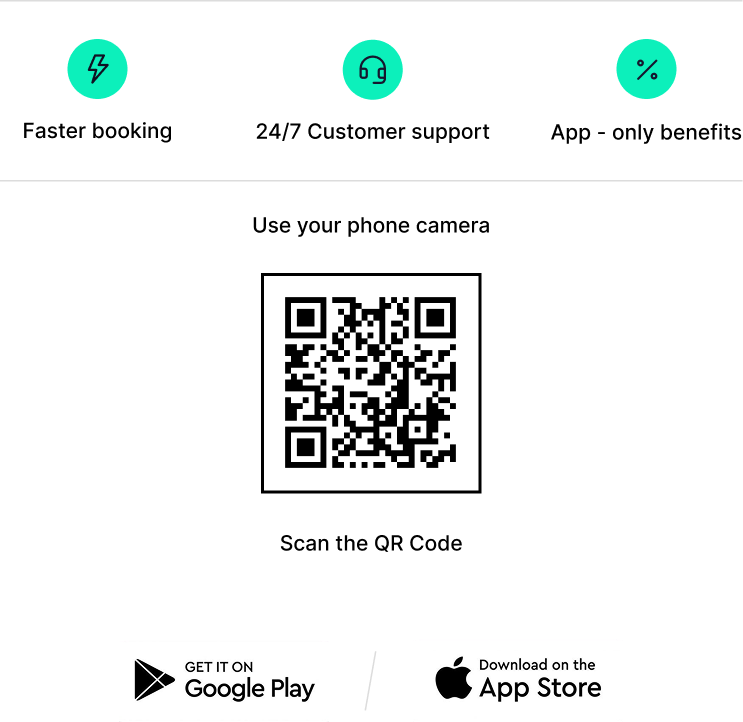
- Scan and get the Way App Download the Way App
- Log in to your account
- Use code FIRST10 at checkout