A mileage report is the compiled record of every business trip you drove: when, where, why, and how far. Learning how to create a mileage report for tax or reimbursement is less about the spreadsheet and more about capturing those four facts while the trip is still fresh.
Whether you are claiming a deduction or sending an expense report to payroll, the IRS expects contemporaneous records — made at or near the time of travel, not reconstructed in April. This guide covers what to include, how to compile the report, and the mistakes that get claims denied.
Key takeaways
- A mileage report needs the date, start and end, business purpose, and miles for every qualifying trip.
- Record odometer readings at the start and end of the year, and mid-year when a vehicle enters or leaves business use.
- 2026 has two IRS business rates: 72.5¢ per mile through June 30, and 76¢ from July 1.
- Commuting from home to a regular workplace is generally not business mileage.
- A GPS app can capture when, where, and how far. You still classify the trip and write the purpose.
Why the Report Exists
Self-employed drivers use the report to support a vehicle deduction. Employees use it so an employer can reimburse business use of a personal car. In both cases the record has to show that each trip was ordinary and necessary for work.
IRS Publication 463 is the primary source. It wants timely, detailed records of business vehicle use — not a single annual estimate. A late, reconstructed log is one of the most common reasons a vehicle claim gets denied.
For 2026 the business standard mileage rate is 72.5 cents per mile from January 1 through June 30 and 76 cents per mile from July 1 through December 31. Dates on each trip matter because the two halves of the year use different rates. How those rates compare with actual vehicle costs is covered in standard mileage rate vs. actual vehicle expenses.
What to Include
There is no single official form, but a defensible report answers the same questions for every trip:
- Date of travel
- Starting location and destination
- Business purpose (more specific than “meeting”)
- Miles driven
- Vehicle, if you use more than one
- Optional: parking and tolls, if you will claim them separately
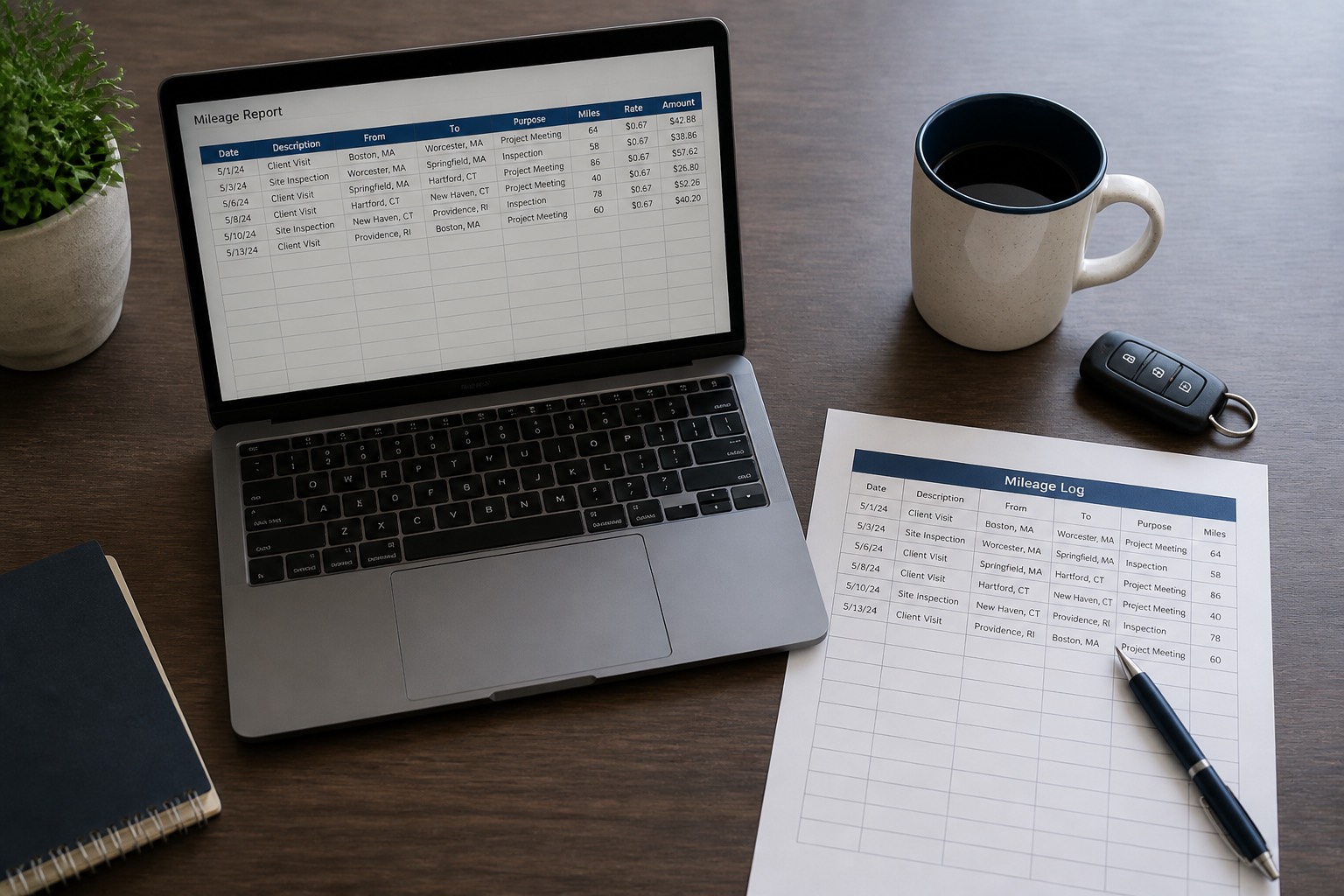
On top of the trip rows, keep beginning- and end-of-year odometer readings so the totals reconcile. If a vehicle enters or leaves business use mid-year, record the odometer then as well. The same fields belong in an IRS mileage log; the report is that log, totaled and ready to submit.
A Sample Mileage Report
| Date | From / to | Purpose | Miles |
|---|---|---|---|
| 2026-01-04 | Home (Denver) to client office | Sales meeting | 12.3 |
| 2026-01-04 | Client office to supply store | Purchase materials | 5.1 |
| 2026-01-05 | Home (Denver) to Boulder conference | Industry conference | 24.7 |
| 2026-01-06 | Boulder conference to home | Return from conference | 24.7 |
| Total | 66.8 |
At the second-half 2026 rate of 76 cents, 66.8 business miles is about $50.77. Use 72.5 cents for trips before July 1. Do not mix the two rates on the same trip.
How to Create the Report
- Choose a tracking method. A notebook, a spreadsheet, or a GPS app all work if you actually use them the same day.
- Record every business trip as it happens. Date, start, destination, purpose, miles. Do not guess or round.
- Classify the trip. Business, personal, or commuting. Only the first belongs on a deduction or most reimbursement reports.
- Compile on a schedule. Weekly or monthly. Export from the app or total the spreadsheet. Group by period and show a grand total.
- Reconcile. Business miles plus personal and commuting miles should be consistent with the odometer change for the period.
- Apply the right rate. Employer policy for reimbursement; the IRS period rate for a deduction. See how mileage reimbursement works.
- Submit or store. Send the report with the expense claim, or keep it with the tax file.
Tools That Make It Easier
A spreadsheet is enough for a handful of trips a month. Publication 463 includes a sample daily log you can copy. Once you are making several trips a week, reconstructing them from memory is the failure mode.
A mileage tracker app records the route, distance, date and time automatically. You still mark the trip as business and write the purpose. Way Mileage Tracker does that capture-and-classify loop and exports a report you can attach to an expense claim or a tax file. How that compares with a notebook is the subject of mileage tracker app vs. manual mileage logs.
Mistakes to Avoid
- Logging days or weeks later. Late entries look reconstructed.
- Vague purposes. “Meeting” is weaker than “contract review at Acme, 14th Street.”
- Rounding miles. Record the GPS or odometer figure, not “about 20.”
- Counting the commute. Home to a regular workplace is generally personal.
- Skipping mid-year odometer readings when a vehicle starts or stops business use.
- Using one 2026 rate for the whole year.
- Throwing the report away after filing. Keep U.S. tax records at least three years after you file.
Frequently Asked Questions
What counts as business miles on a mileage report?
Trips for work: clients, job sites, suppliers, deliveries, business events, travel between workplaces. Regular commuting from home to your main workplace generally does not count. Describe the purpose so the business nature is obvious.
Can I use an app instead of writing a log?
Yes. Electronic records are acceptable when they contain the required details. The app supplies date, route and distance; you still classify the trip and record the business purpose.
How often should I compile the report?
Follow your employer’s schedule for reimbursement, often monthly. For tax, keep a running log and total it at year end. A monthly reconcile catches gaps while you can still fix them.
What if I miss a trip?
Add it as soon as you can, using calendar, invoice or GPS history. Prompt corrections are normal. Inventing miles months later is not.
How long should I keep the report?
At least three years after you file the return it supports. Keep related parking and toll receipts for the same period.
Do I put fuel on the mileage report?
The report tracks distance. The standard mileage rate already covers fuel and wear. Tolls and parking can sit in extra columns or on a separate expense line if you will claim them.
What is the difference between reimbursement and a deduction?
Reimbursement is the employer paying you back. A deduction is a tax calculation. Do not assume you can take both on the same miles. The log is required either way.
Submit It, Then Keep It
The report is only as good as the trip records underneath it. Capture each business drive the day it happens, classify it honestly, apply the rate that actually applies to that date, and keep the file with the rest of the year’s tax or expense records. If you would rather review a captured list than reconstruct one, start with Way Mileage Tracker.
Get 10% off in the Way App in the Way App!

- Scan and get the Way App Download the Way App
- Log in to your account
- Use code FIRST10 at checkout