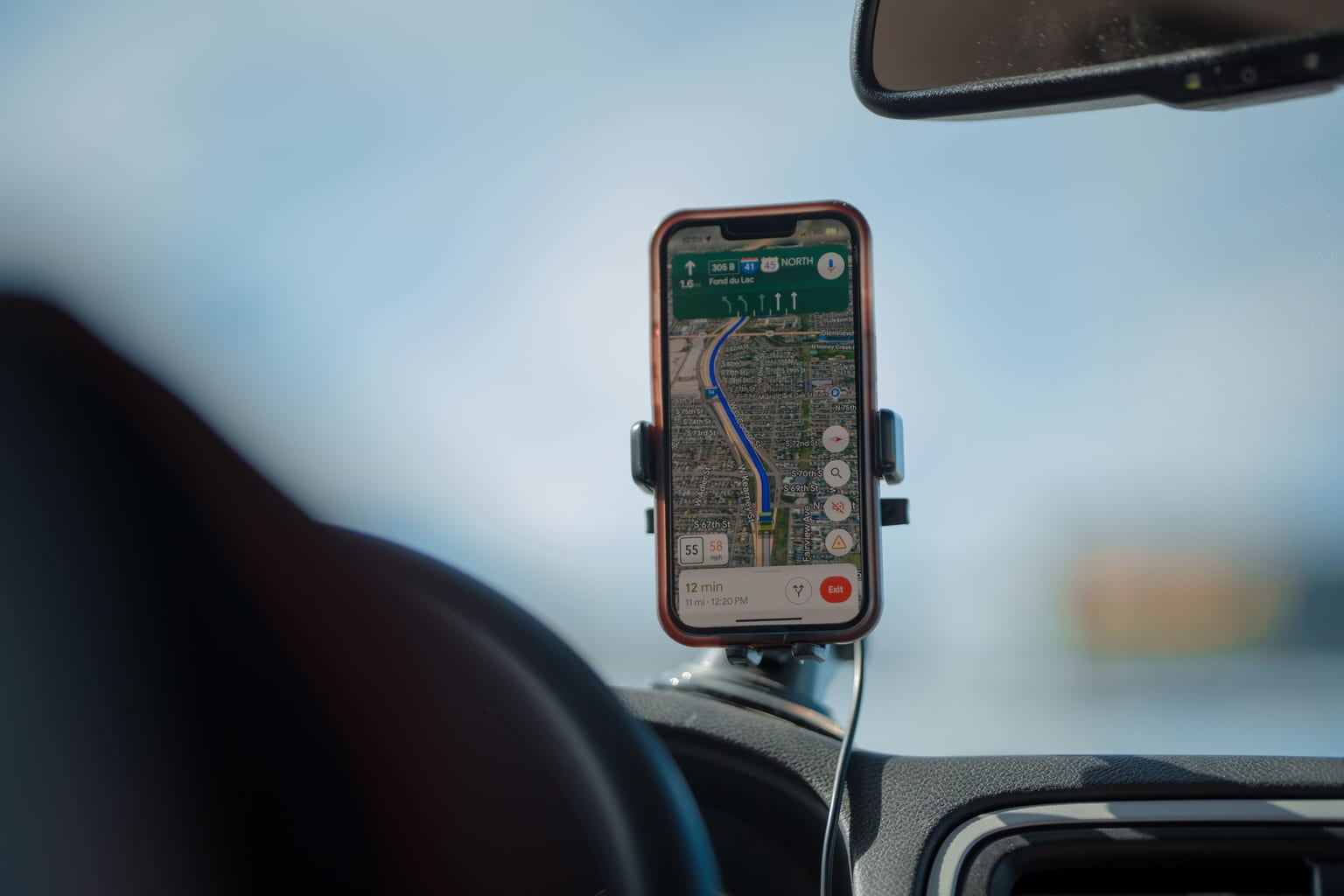
If you drive for work, freelance between multiple locations, make client visits, deliver products, or simply want a reliable record of your trips, keeping track of every mile can become surprisingly difficult. The first few trips are easy to remember. After several weeks, however, small journeys start blending together.
That is one reason GPS mileage tracking has become so useful. Instead of remembering where you went and entering the distance later, a mileage tracking app can use your phone’s location data to record the trip while you drive. Tools such as Way App are designed to make this process more convenient by helping drivers capture and organise their mileage.
But there is an important question behind the convenience: How accurate is GPS mileage tracking?
The short answer is that modern smartphone GPS can be highly accurate in good conditions, but it is not perfect. GPS.gov says GPS-enabled smartphones are typically accurate to within a 4.9-metre (16-foot) radius under open-sky conditions. Accuracy can worsen around buildings, bridges, trees, indoors, underground, or anywhere GPS signals are blocked or reflected.
For mileage purposes, that distinction matters. A GPS receiver does not directly read the number displayed on your vehicle’s odometer. It determines your location repeatedly, records how that location changes, and uses those points to calculate the distance travelled. That sounds simple. The interesting part is what happens between those points.
Key takeaways
- GPS mileage tracking uses location data collected during a drive to estimate the distance travelled.
- Smartphone GPS can typically achieve about 4.9 metres of positioning accuracy under open-sky conditions, according to GPS.gov.
- Buildings, tunnels, trees, bridges, underground parking and reflected signals can reduce GPS accuracy.
- GPS mileage and odometer mileage can differ because they measure distance in different ways.
- Short urban trips can sometimes show larger percentage differences than long open-road journeys.
- GPS does not automatically determine whether a trip is business or personal. You still need to classify your trips and record the business purpose when required.
- For U.S. taxpayers, mileage records are particularly important because the IRS uses mileage as part of its rules for vehicle-related deductions and substantiation.
- The IRS business standard mileage rate changed during 2026, from 72.5 cents per mile for January 1 through June 30 to 76 cents per mile from July 1 through December 31.
What Is GPS Mileage Tracking?
GPS mileage tracking is a method of recording vehicle journeys using location information from a GPS-enabled device, usually a smartphone. A car mileage tracker does not need to know the vehicle’s wheel rotations. Instead, it observes the vehicle’s position as it moves.
Imagine starting a trip at 8:10 a.m. Your phone records a location near your driveway. A short time later, it records another location at the first intersection. More points follow as you drive down the road, turn onto a highway, leave the highway and arrive at your destination.
Those location points create a digital trail. The mileage tracking software can then calculate the distance represented by that trail and associate information such as:
- Date
- Start location
- End location
- Trip duration
- Distance
- Route
- Trip classification
- Notes or business purpose
That makes a mileage tracking app fundamentally different from a simple odometer. An odometer tells you how far the vehicle has travelled according to the vehicle’s measurement system. GPS tracking can tell you where the trip happened and when it happened.
How Does GPS Mileage Tracking Work?
The basic process is easier to understand if you break it into stages.
1. Your Phone Determines Its Location
GPS satellites transmit signals that allow a compatible receiver to determine its position. The phone can combine GPS information with other location technologies and services to improve the overall location experience.
GPS.gov explains that actual user accuracy depends on more than the satellite signal itself. Satellite geometry, signal blockage, atmospheric conditions and receiver design can all affect the result.
2. The App Collects Location Points
As the vehicle moves, the app receives location updates. The exact frequency can vary by application and operating-system conditions. A tracker does not necessarily need to record a point every second to create a useful mileage record. The goal is to collect enough information to represent the journey accurately without unnecessarily consuming device resources.
3. The Software Builds a Route
The individual coordinates form a path.
Suppose your drive produces these simplified points:
| Point | Example location | Approximate elapsed time |
|---|---|---|
| A | Home | 0 minutes |
| B | Main road | 5 minutes |
| C | Highway entrance | 12 minutes |
| D | Highway exit | 28 minutes |
| E | Client location | 36 minutes |
The software can use the sequence to reconstruct the journey. In an actual tracking system, there can be many more location points than this simple example.
4. Distance Is Calculated
The application calculates the distance represented by the recorded route. This is important because straight-line distance and driving distance are not the same thing.
For example, two addresses might be only 4 miles apart as the crow flies but require an 8-mile road journey because of highways, rivers, one-way streets or other road restrictions.
A useful mileage tracker needs to reflect the journey rather than simply measuring the distance between two dots on a map.
5. The Trip Becomes a Mileage Record
Once the trip is complete, the recorded information can become part of your mileage history. Way’s Mileage Tracker, for example, promotes automatic trip logging, trip sorting, multiple-vehicle support and tax-ready reports.
For business users, Way also offers a dedicated mileage tracking solution that automatically captures trips and supports mileage reports for reimbursement and accounting workflows.
How Accurate Is GPS Mileage Tracking?
There is no single accuracy percentage that applies to every GPS mileage tracker, every phone and every journey. That is an important distinction.
GPS.gov states that smartphones are typically accurate to within a 4.9-metre radius under open sky, while also explaining that accuracy can deteriorate because of buildings, bridges, trees, reflected signals and other conditions.
But a 4.9-metre positioning figure should not be interpreted as saying that every 100-mile trip will have exactly a particular percentage of mileage error. GPS positioning accuracy and total trip-distance accuracy are different measurements.
For example, imagine a vehicle travelling 20 miles. If individual GPS positions occasionally vary by a few metres, that does not automatically mean the final mileage will be several metres wrong at every recorded point. Some location errors may cancel out. Other errors can cause the recorded path to become slightly longer or shorter. The result depends on how the tracker processes the data.
A practical way to think about accuracy
| Driving environment | Potential GPS challenge | What you may notice |
|---|---|---|
| Open highway | Few obstructions | Generally stable location data |
| Rural road | Trees or hills | Occasional position variation |
| Downtown streets | Tall buildings and reflections | Route may become less precise |
| Tunnel | GPS signal blockage | Missing or interrupted location data |
| Underground garage | Little or no satellite visibility | Tracking may pause or become incomplete |
| Dense tree cover | Obstructed signals | Temporary accuracy reduction |
| Short city trip | Frequent turns and stops | Small discrepancies can represent a larger percentage |
| Long highway trip | Mostly open sky | Small positioning errors have less impact on total distance |
The key point is that GPS mileage tracking is highly useful without being mathematically identical to an odometer reading.
Why Does GPS Sometimes Get the Mileage Wrong?
GPS does not suddenly become unreliable just because you enter a city. Instead, several technical factors can make individual location readings less precise.
Tall Buildings
Urban areas can be difficult environments for satellite positioning. A phone surrounded by tall buildings may receive signals that are blocked or reflected before reaching the device.
GPS.gov specifically identifies signal blockage and reflected signals, known as multipath, as causes of reduced positioning accuracy. That can produce an odd-looking route.
For example, imagine driving down a straight downtown street. The actual vehicle never leaves the road, but the GPS trace briefly appears several metres to the side.
A good tracking system needs to handle this kind of noise rather than blindly treating every location point as perfectly accurate.
Tunnels and Underground Areas
GPS requires signals from satellites. A tunnel is therefore an obvious problem. If you drive through a 1.5-mile tunnel, the tracker may temporarily lose its normal satellite positioning information. What happens next depends on the application.
Some systems may leave a gap. Others may use additional information to estimate movement and connect the journey when GPS returns. This is one reason a mileage tracker should not be judged only by how accurately it records a perfect open-road journey. Real drivers encounter tunnels, garages, parking structures and other difficult environments.
Trees and Bridges
Heavy tree cover can also interfere with GPS reception. The same applies to bridges and other structures that obstruct the signal. GPS.gov lists buildings, bridges and trees among common sources of signal blockage.
A driver who spends most of the day on open interstate highways may therefore experience a different tracking environment from someone making 20 short deliveries around a dense city.
Phone and Receiver Quality
Not every device has identical positioning capabilities. GPS.gov notes that receiver design and quality are among the factors affecting actual user accuracy. Modern smartphones can be remarkably capable, but the phone still has to acquire and process the available signals. Device settings can matter too.
For example, aggressive battery-management settings can restrict background activity or location updates. If an app is prevented from operating normally while you drive, the problem is not necessarily GPS accuracy. The problem may be incomplete data collection.
GPS Mileage vs. Odometer Mileage
One of the most common questions is: Why does my mileage tracking app show 12.4 miles when my car says 12.1?
There is no universal answer. The two systems are measuring distance differently. An odometer generally calculates distance from vehicle movement and wheel-related information. GPS tracking calculates movement from geographic position. That creates several opportunities for differences.
Example
Suppose a driver makes the same 25-mile work journey five times.
The odometer might show:
- Trip 1: 25.0 miles
- Trip 2: 25.1 miles
- Trip 3: 25.0 miles
- Trip 4: 25.2 miles
- Trip 5: 25.0 miles
The GPS mileage tracker might record:
- Trip 1: 25.1 miles
- Trip 2: 25.0 miles
- Trip 3: 25.2 miles
- Trip 4: 25.3 miles
- Trip 5: 25.1 miles
That does not automatically mean one system is broken. Small differences can come from route geometry, GPS positioning noise, sampling, tyre characteristics and other factors.
The important thing is to investigate large or consistent discrepancies, rather than expecting two independent measurement methods to produce identical numbers every time.
Is GPS More Accurate Than a Manual Mileage Log?
There is a difference between measurement accuracy and record-keeping reliability. A perfectly calibrated odometer can provide a useful distance reading. But if you forget to write the mileage down, the number is not much use as a record. This is where automatic tracking can make a practical difference. Consider a consultant who visits four clients on Tuesday.
Without automatic tracking, they might remember:
Client A: 12 miles
Client B: approximately 8 miles
Client C: 17 miles
Client D: “around 10”
By Friday, the exact routes may be difficult to reconstruct. With an automatic tracker, the journeys can already exist in the trip history. The driver can then review and classify them.
Way’s own comparison of mileage tracker apps and manual logs makes this distinction clearly: automatic tracking can capture when, where and how far a trip occurred, but the driver still needs to classify the trip and record its purpose where required.
That last point is easy to overlook. GPS automation does not replace your responsibility for accurate record keeping.
A Real-Life Mileage Example
Consider Sarah, a self-employed photographer.
She drives to:
- Her home office
- A wedding venue
- A camera store
- Another client’s studio
- Home
Her total driving for the day is 74 miles. She uses a GPS mileage tracker rather than trying to remember the trips at night. At the end of the day, her app shows:
| Trip | Distance | Purpose | Classification |
|---|---|---|---|
| Home → Venue | 31.2 miles | Wedding photography | Business |
| Venue → Camera store | 7.8 miles | Equipment purchase | Review required |
| Camera store → Studio | 16.5 miles | Client session | Business |
| Studio → Home | 18.9 miles | Return journey | Review required |
| Total | 74.4 miles | — | — |
The value here is not simply the 74.4. Sarah also has a record of when the trips occurred and where she travelled. She can review the entries while the day is still fresh. That is a much more practical workflow than trying to reconstruct every journey six months later. Whether a particular trip qualifies for a tax deduction or reimbursement is a separate question governed by the applicable rules.
Why Mileage Accuracy Matters in 2026
For U.S. drivers who use mileage records for business purposes, accurate documentation can have a financial impact.
The IRS announced a 2026 business standard mileage rate of 72.5 cents per mile from January 1 through June 30. The IRS subsequently revised the business rate to 76 cents per mile for July 1 through December 31, 2026.
Here is a simple example. A driver records 5,000 qualifying business miles during the second half of 2026.
At 76 cents per mile: 5,000 × $0.76 = $3,800
That calculation demonstrates why mileage records matter. It does not mean every mile recorded by a GPS app automatically qualifies for a deduction. The tax treatment depends on the taxpayer’s circumstances and applicable IRS rules. For that reason, a mileage tracker should be viewed as a record-keeping tool, not a substitute for tax advice.
What Makes a Good GPS Mileage Tracking App?
Not all mileage trackers provide the same experience. If you are choosing an auto mileage tracker app, look beyond the basic promise of “GPS tracking.” A useful system should make the entire record-keeping process easier.
Automatic trip detection
The less you have to remember to press buttons, the less likely you are to forget a trip.
Clear trip history
You should be able to see previous journeys without digging through confusing menus.
Business and personal classification
Not every drive is business-related. A tracker should make it straightforward to separate the two.
Multiple vehicles
People who use more than one vehicle need a way to keep mileage associated with the correct car. Way’s Mileage Tracker page currently lists automatic mileage logging, drive sorting, multiple-vehicle support and tax-ready reports among its features.
Reports
A pile of GPS coordinates is not particularly useful when tax season arrives. Useful mileage software turns trip information into a readable record.
Battery-conscious tracking
A tracker that records perfectly for three hours and then gets stopped by battery management is not particularly useful for someone driving all day.
Easy review
The best workflow is not “track and forget.”
It is: Track → Review → Classify → Correct → Keep
That takes very little time compared with rebuilding months of travel history.
How to Improve GPS Mileage Tracking Accuracy
You cannot control satellite geometry or make a tunnel transparent, but you can improve the conditions under which your phone collects location information.
Keep Your Phone Where It Can Receive a Good Signal
A secure dashboard or windshield mount generally gives the device a better environment than leaving it under a seat or inside a closed compartment. Never place the phone somewhere unsafe while driving.
Check Location Permissions
Make sure the mileage app has the location permissions it needs to operate properly. Operating-system restrictions can prevent background tracking.
Review Battery Settings
Some phones aggressively restrict background apps to preserve battery life. If mileage tracking is important, check whether your device is limiting the app.
Use a Car Charger
Continuous location tracking can consume battery power. A simple car charger reduces the risk of a trip ending because the phone ran out of power.
Review Unusual Trips
You do not need to inspect every normal journey in detail.
Instead, look for obvious anomalies:
- A route that jumps across a block
- A trip with an unusually short distance
- A trip that appears to start several minutes late
- A journey that ends before you reached your destination
- A trip that continues after you parked
Fixing an obvious error while it is fresh is much easier than trying to reconstruct it months later.
Common GPS Mileage Tracking Mistakes
Mistake 1: Assuming GPS Is Perfect
It is not. GPS.gov explicitly explains that positioning accuracy depends on signal conditions, satellite geometry, atmospheric effects and receiver quality.
A small discrepancy is not necessarily a sign that the app is defective.
Mistake 2: Assuming the Odometer Is Always Identical
Your odometer and GPS tracker use different measurement methods. They should generally be reasonably close, but identical readings should not be treated as a requirement.
Mistake 3: Forgetting to Classify Trips
GPS knows that you travelled. It does not automatically understand the reason for every journey. A trip to a client meeting and a trip to the grocery store can look similar to a location-tracking system. You still need to classify your trips accurately.
Mistake 4: Leaving Battery Restrictions Enabled
The tracker cannot record information it is prevented from collecting. If your phone closes background applications aggressively, review the relevant settings.
Mistake 5: Waiting Until Tax Season
This is one of the biggest practical problems with mileage records. Trying to remember every trip from the previous 10 months is much harder than reviewing trips as they happen.
GPS Mileage Tracking for Freelancers and Small Businesses
Mileage tracking is particularly useful for people whose work involves frequent travel.
Consider:
- Real estate agents
- Sales representatives
- Photographers
- Home-service professionals
- Consultants
- Freelancers
- Delivery professionals
- Independent contractors
- Field technicians
- Small-business owners
A real estate agent might drive 40 miles visiting three properties. A photographer might drive 65 miles between a studio, venue and equipment supplier. A home-service contractor could make five separate customer visits in one day.
The mileage itself is only part of the record. The driver also needs to know which trips were business-related and why. That makes automated capture valuable because it preserves the basic journey information before memory has a chance to fade.
GPS Mileage Tracking for Multiple Vehicles
A person may use:
- A personal car
- A work vehicle
- A second family vehicle
- A leased vehicle
- A vehicle shared with a spouse or business partner
Mixing mileage records between vehicles can create unnecessary confusion. A tracker that supports multiple vehicles can help keep those records separated.
Way’s Mileage Tracker currently advertises support for multiple vehicles, while its business mileage solution is designed for teams managing multiple drivers and vehicles.
For a business with several drivers, centralized reporting can also reduce the amount of time spent collecting individual mileage spreadsheets.
GPS Mileage Tracking vs. Manual Logs: A Practical Comparison
| Feature | GPS Mileage Tracking | Manual Mileage Log | Odometer |
|---|---|---|---|
| Automatically records trips | Yes, depending on app | No | No |
| Records route | Yes | Only if manually entered | No |
| Records trip time | Usually | Manually | No |
| Measures vehicle movement | Through location data | Depends on user | Through vehicle system |
| Can separate trips | Yes | Yes, manually | No |
| Requires user memory | Less | More | More |
| Can be affected by GPS blockage | Yes | No | No |
| Provides location history | Usually | Only if recorded | No |
| Useful for reviewing past trips | Yes | Yes, if maintained | Limited |
| Requires classification | Yes | Yes | Yes |
There is no reason to pretend that GPS tracking eliminates every problem. Its main advantage is automation.
Does GPS Mileage Tracking Work Without Internet?
Yes, GPS itself does not require a mobile internet connection to determine location. GPS satellites transmit signals to compatible receivers.
However, an application may still use an internet connection for other functions, such as synchronisation, map data, account services or uploading trip information. This distinction is useful when travelling through areas with poor cellular service.
A temporary loss of mobile data does not necessarily mean GPS positioning has stopped. The exact offline behaviour depends on the application and device.
Does GPS Mileage Tracking Drain Your Phone Battery?
Continuous location tracking can use additional battery power. How much depends on the phone, operating system, signal conditions, application design and what other services are running.
That is why a simple habit helps: Plug your phone into your vehicle while driving.
It is also worth checking whether your phone has enabled a battery-saving setting that restricts the mileage app’s background activity. A tracker cannot produce a complete record if the operating system repeatedly shuts it down.
Is GPS Mileage Tracking Good Enough for Business Records?
GPS can provide useful evidence of where and how far a vehicle travelled, but the technology does not automatically make every record tax-compliant. The driver still needs to understand the applicable requirements.
For U.S. taxpayers, the IRS provides rules concerning substantiation of vehicle-related business expenses. Its mileage rates are only one part of the broader tax framework. For example, if a tracker records a 24-mile trip, the driver should not simply assume the entire journey is deductible.
They may need to establish:
- Date
- Distance
- Business purpose
- Relevant destination information
- Business versus personal use
- Other required vehicle information
The GPS component helps with the capture. It does not replace the driver’s responsibility for classification and documentation.
What Should You Do If Your GPS Mileage Looks Wrong?
Do not immediately delete the trip. First, look at the route.
- If the route has a strange jump: Check whether you were near tall buildings, a tunnel, a parking garage or heavy tree cover.
- If the trip is shorter than expected: Check whether tracking started late or stopped temporarily.
- If the trip is longer than expected: Look for GPS drift or an unusual route.
- If the same discrepancy happens repeatedly: Compare several trips under similar conditions.
One unusual reading may simply be a GPS anomaly. A consistent pattern may indicate a device, permission, battery or configuration issue. This is a better approach than assuming either GPS or the odometer is automatically correct.
A Simple Accuracy Check You Can Do Yourself
If you want to understand how your own car mileage tracker performs, conduct a small personal test. Choose a route you know well.
For example: Test route: 20 miles. Drive it several times under ordinary conditions.
Record:
| Test | Odometer | GPS tracker | Difference |
|---|---|---|---|
| 1 | 20.0 miles | 20.2 miles | +0.2 |
| 2 | 20.1 miles | 20.0 miles | -0.1 |
| 3 | 20.0 miles | 20.1 miles | +0.1 |
| 4 | 20.2 miles | 20.3 miles | +0.1 |
| 5 | 20.0 miles | 20.1 miles | +0.1 |
Note: These numbers are an illustrative example, not a published accuracy study. The purpose is to show how to evaluate your own tracking system rather than treating one trip as definitive evidence. If the tracker consistently produces a substantial difference, investigate the cause.
Where GPS Mileage Tracking Adds the Most Value
The strongest case for an auto mileage tracker app is not that it magically produces a perfect number. It is that it creates a much easier system for capturing and organising journeys.
For someone driving once a month, writing down mileage may be perfectly manageable. For someone driving 20, 30 or 50 work-related trips every month, the calculation changes.
Suppose a freelancer makes 15 business trips each week.
Over 50 working weeks: 15 × 50 = 750 trips
If every one of those journeys requires manual recording, the administrative burden becomes significant. An automated tracker can capture the basic movement first, leaving the driver to review and classify it. That is the real productivity advantage.
How Way Fits Into GPS Mileage Tracking
Way’s Mileage Tracker is designed around automatic mileage capture rather than requiring drivers to create every trip manually.
The current Mileage Tracker page lists:
- Automatic mileage logging
- Drive sorting
- Multiple-vehicle support
- Tax-ready reports
- Parking and car-wash cashback
- Gas savings
- Other vehicle-related benefits
Way also provides a business-focused mileage tracking solution for teams. Its business page says the system automatically captures trips, supports business and personal classifications, manages multiple vehicles and provides mileage reports for reimbursement and accounting workflows.
For an individual driver, the important question is simple: Will the app make it easier to capture every trip and review it later?
For a business, the question becomes broader: Can the system turn individual journeys into organised mileage records that finance or accounting teams can actually use?
Those are more useful questions than simply asking whether an app has GPS.
Making Mileage Tracking Easier Every Day
GPS mileage tracking is a practical way to record journeys without relying entirely on memory or manual mileage logs. It uses location data to estimate the route and distance travelled, while factors such as buildings, tunnels, trees, signal conditions and device settings can affect the recorded mileage.
For drivers who regularly travel for work, the biggest advantage is consistency. An automatic mileage record can make it easier to review trips, separate business and personal journeys, and maintain organised records throughout the year.
If you are looking for a simpler way to keep track of your driving activity, contact Way today to explore a mileage tracking solution that fits your needs.
The goal is not to expect GPS to produce a perfect number on every trip. Instead, use it as a practical record-keeping tool, review unusual trips when necessary, and make sure your mileage records meet the requirements that apply to your situation.
With the right mileage tracking app, recording business travel can become a routine part of your driving rather than a task you have to reconstruct later.
Related guides
- How GPS Mileage Tracking Works for Business Drivers
- How to Choose a Mileage Tracker App: 10 Features to Look For
- Mileage Tracker App Features That Actually Matter for Business Drivers
Frequently Asked Questions
How accurate is GPS mileage tracking?
GPS mileage tracking can be highly accurate in good conditions, but accuracy varies by device and environment. GPS.gov says smartphones are typically accurate to within a 4.9-metre radius under open-sky conditions. Buildings, bridges, trees, tunnels and reflected signals can reduce accuracy.
Does GPS mileage tracking match my car’s odometer?
Not necessarily. GPS and vehicle odometers measure distance differently, so small differences are normal. If the difference is large or occurs consistently, investigate the route, GPS signal, phone settings and vehicle measurement conditions.
Can a mileage tracking app work without cellular service?
GPS positioning itself does not require cellular service. However, the mileage app may need internet access for synchronisation, map information or uploading records. Offline behaviour varies by application.
Does GPS mileage tracking use a lot of battery?
Continuous location tracking can consume additional battery power. Connecting the phone to a vehicle charger and allowing the mileage app to operate in the background can help prevent interruptions.
Is GPS mileage tracking accurate enough for business mileage?
It can provide valuable automated records, but GPS accuracy and tax substantiation are separate issues. Users still need to classify trips correctly and follow the documentation requirements that apply to their circumstances.
Why is my mileage tracker showing extra miles?
GPS noise, route differences, positioning errors, signal reflections or actual detours can contribute to extra mileage. Check the recorded route before assuming the tracker is incorrect.
What is the difference between a car mileage tracker and a mileage tracking app?
A car mileage tracker is the broader category of tools used to record vehicle distance. A mileage tracking app is a software-based solution, usually installed on a smartphone, that can use GPS and other phone capabilities to automate that process.
Can GPS track every mile automatically?
Many modern mileage apps can automatically detect and record trips, but no tracking system should be treated as infallible. Battery restrictions, disabled location permissions, signal loss and device problems can interrupt tracking. Reviewing your mileage history remains good practice.