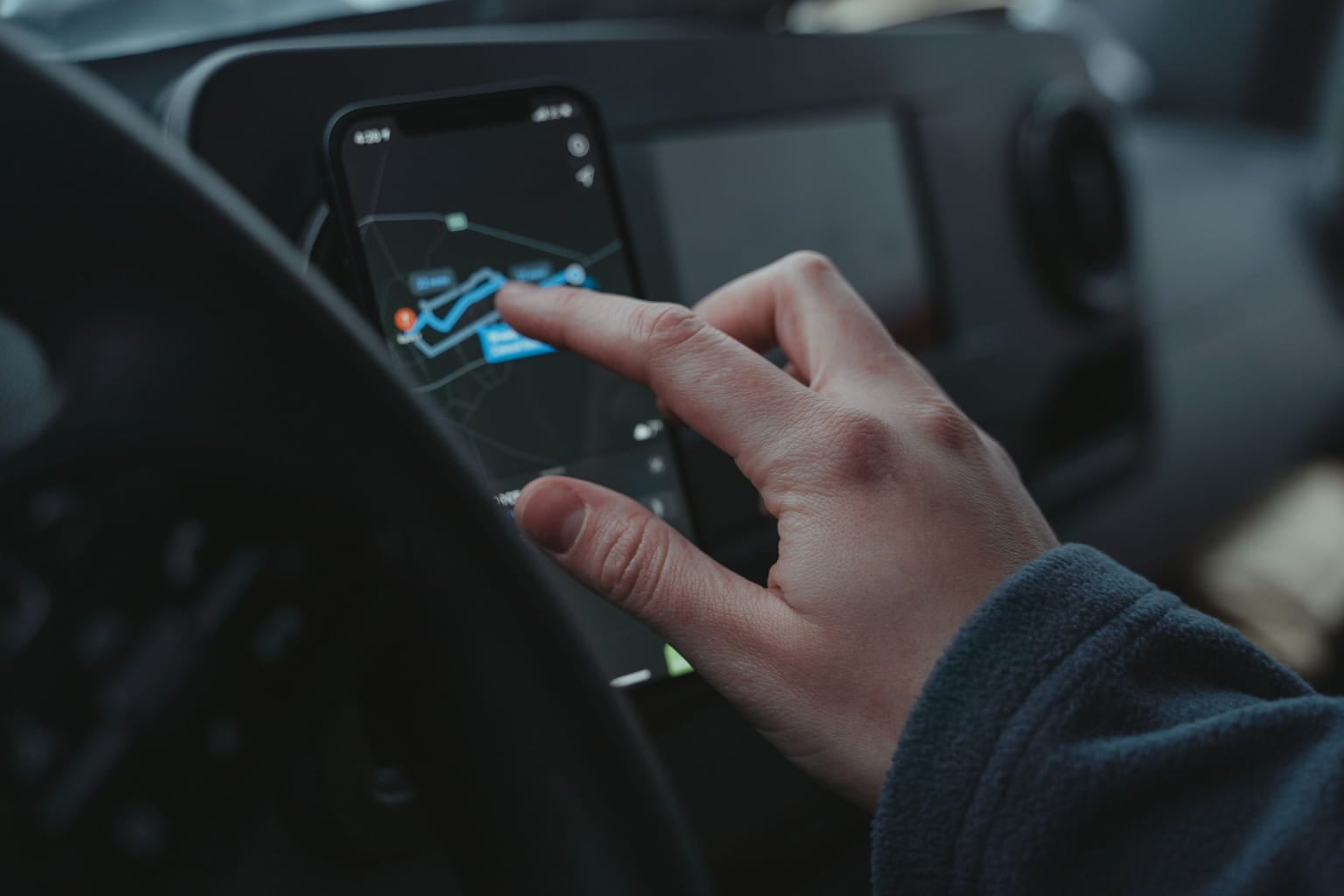
Choosing a mileage tracker app sounds simple until you actually start comparing them. One app may promise automatic GPS tracking, another may focus on tax reports, while a third offers expense management, reimbursement tools, or fleet features. The difficult part is figuring out which features will genuinely make your driving records easier to manage.
For someone who drives occasionally for work, a basic mileage tracking app may be enough. A freelancer visiting several clients every week has different needs. A sales representative driving 1,000 or more business miles a month needs something more dependable. A company managing 20 vehicles needs reporting, administration, and data-export capabilities on top of basic trip tracking.
The right mileage tracker app should reduce the amount of work involved in keeping an accurate driving record. It should capture trips reliably, make it easy to distinguish business and personal driving, preserve useful trip information, and produce records you can actually use. Solutions such as the Way App are designed around this kind of automated mileage tracking, helping drivers spend less time maintaining manual logs.
That matters because mileage can represent real money. For the second half of 2026, the IRS business standard mileage rate is 76 cents per mile. A driver with 5,000 qualifying business miles would be looking at $3,800 when that rate is applied. From January 1 through June 30, the rate was 72.5 cents per mile.
The number is only useful if the underlying mileage record is accurate. So, what should you look for when choosing a mileage tracker app?
Quick Answer
A good mileage tracker app should automatically detect trips, accurately measure distance, allow easy business and personal classification, keep records organized, produce useful reports, support multiple vehicles when necessary, protect your location data, and work reliably without requiring constant manual input.
The best choice depends on how you drive. Someone making five business trips a month does not need the same system as a field-service professional making ten stops a day.
Before choosing an app, compare these 10 features:
| Feature | Why It Matters | Most Useful For |
|---|---|---|
| Automatic trip detection | Reduces forgotten trips | Frequent drivers |
| GPS mileage accuracy | Records actual routes and distance | Business drivers |
| Business/personal classification | Separates qualifying trips | Tax and reimbursement users |
| Easy trip editing | Corrects mistakes quickly | Everyone |
| Mileage reports | Makes records easier to submit | Employees and freelancers |
| Multiple vehicle support | Keeps cars separate | Families and businesses |
| Expense tracking | Connects mileage with driving costs | Self-employed drivers |
| Data export | Makes records portable | Tax and accounting users |
| Privacy controls | Limits unnecessary location tracking | Privacy-conscious users |
| Reliable background tracking | Prevents gaps in mileage records | High-mileage drivers |
The important point is that features should solve a real problem. A long feature list does not automatically make an app better.
1. Automatic Trip Detection
One of the first things to check in an app for mileage tracking is whether it can recognize trips automatically. Manually starting and stopping every drive sounds manageable until you are making several business trips in a single day.
For example, a home-service technician might drive from home to a customer’s property, then to a supply store, followed by two more customer visits. If the app automatically records those journeys, the driver can review and classify them later instead of trying to remember every trip at the end of the day.
Imagine a home-service technician who makes six stops during a Tuesday:
- Home to Job 1: 18.2 miles
- Job 1 to Job 2: 7.6 miles
- Job 2 to Job 3: 11.4 miles
- Job 3 to Job 4: 9.8 miles
- Job 4 to Job 5: 13.1 miles
- Job 5 to Job 6: 6.9 miles
That is 67 miles in one day before the driver even considers other work-related travel. A manual log might work perfectly for the first few days. By Friday, however, the driver may remember the major appointments but forget a short trip between two locations.
Automatic detection changes the workflow. Instead of asking, “Did I remember to log that trip?” the driver can review the trips the app captured and classify them afterward. Way’s Mileage Tracker, for example, uses automatic trip tracking and provides tools for sorting drives and generating mileage reports.
What to check
Do not stop at “automatic tracking” in an app’s description. Check:
- Does it detect trips in the background?
- Does it continue working when the phone is locked?
- Can you review missed or incorrectly detected drives?
- Does it distinguish driving from other movement?
- How much battery does background tracking use?
Automatic tracking is valuable because it removes a memory task. It does not remove the need to review the record.
2. Accurate GPS Mileage Tracking
A car mileage tracker should provide consistent distance measurements rather than simply estimating how far you traveled. GPS-based tracking can record the route and distance associated with a trip, but accuracy can vary depending on factors such as signal availability, device settings, and the driving environment.
For example, if one record shows 25 miles while the actual route was closer to 26.5 miles, that 1.5-mile difference may seem insignificant once. Across 20 similar trips, however, it becomes 30 miles. At a 76-cent-per-mile rate, that represents $22.80 in mileage value, although the applicable tax treatment depends on the taxpayer’s circumstances.
Consider two records:
Record A: “Client meeting – 25 miles”
Record B: “September 15 – Office to client location – 24.7 miles – equipment inspection”
The second record gives you considerably more context. Accuracy can also matter when the mileage adds up over time. Suppose an app consistently records 1.5 miles less than the actual route on 20 business trips.
That is: 1.5 miles × 20 trips = 30 miles
At 76 cents per mile, 30 miles represents $22.80 in mileage value. That is not a reason to assume every GPS discrepancy is financially significant. It is a reminder that small measurement errors can accumulate.
GPS is not the same as tax classification
There is an important distinction here. GPS can tell you that your vehicle traveled from one location to another. It cannot automatically know whether you were visiting a customer, picking up groceries, commuting to your normal workplace, or attending a personal appointment. The technology records movement. You provide the business context.
3. Simple Business and Personal Classification
A useful mileage tracker app should make trip classification quick.
For many drivers, the basic categories are:
- Business
- Personal
- Commute
That distinction matters because not every mile driven during a workday is automatically a business mile.
For example:
| Trip | Distance | Possible Classification |
|---|---|---|
| Home to regular office | 14 miles | Commute |
| Office to customer | 18 miles | Business |
| Customer to supplier | 7 miles | Business |
| Supplier to grocery store | 4 miles | Personal |
| Grocery store to home | 6 miles | Personal |
The vehicle may have traveled 49 miles, but that does not mean all 49 miles should appear as business mileage.
The IRS generally treats normal commuting between home and a regular workplace differently from qualifying business transportation. Specific circumstances can change the treatment, so drivers should check current IRS guidance for their situation.
A good app should make the classification process fast enough that you will actually do it.
If changing a trip from personal to business requires navigating through four different screens, you are less likely to keep your records current.
4. Easy Editing When Something Goes Wrong
Even a good mileage tracker app will occasionally need correction. Perhaps GPS starts tracking a trip late. Maybe you forgot to classify a drive. Perhaps the app records a personal stop as part of a longer business trip. The ability to edit individual trips is therefore more important than it sounds.
Suppose a consultant drives: Home → Client → Coffee shop → Home
The complete route is 38 miles. But only the client-related portion may belong in the business record. The driver should be able to review the trip and make the appropriate classification rather than accepting the automatically generated record without question.
Look for apps that allow you to edit:
- Trip classification
- Distance
- Start or end information
- Business purpose
- Notes
- Vehicle assignment
- Trip details
The easier these corrections are, the more likely your records will remain clean.
5. Useful Mileage Reports
Tracking miles is only half the job. Eventually, you may need to do something with those records.
An employee might submit a monthly reimbursement report. A freelancer might provide mileage records to an accountant. A business owner might need information for tax preparation. That is why reporting should be one of the features you examine before choosing an app.
A useful report should make it easy to see information such as:
| Information | Example |
|---|---|
| Date | August 18, 2026 |
| Starting point | Company office |
| Destination | Client location |
| Purpose | Equipment inspection |
| Distance | 32.6 miles |
| Classification | Business |
| Vehicle | 2024 Ford F-150 |
The IRS does not prescribe one particular commercial mileage-tracking application or report design. What matters is maintaining adequate records that support the applicable vehicle-use information. IRS guidance emphasizes details such as mileage, date, destination, and business purpose.
A report should therefore be more than a grand total. “4,850 business miles” tells you very little by itself. A dated list showing where those miles came from is much more useful.
6. Support for Multiple Vehicles
If you drive only one car, this feature may not matter much. If you regularly use two or three vehicles, it becomes much more important.
For example, imagine a small landscaping company with:
- Vehicle A: Owner’s pickup
- Vehicle B: Crew van
- Vehicle C: Trailer vehicle
If all mileage is dumped into one account without vehicle-level information, separating the records later becomes unnecessarily complicated.
The same applies to families. Someone might use one vehicle for business trips and another for personal driving.
A mileage tracker app with multiple-vehicle support can keep these records separated from the beginning.
What to look for
Check whether the app allows you to:
- Add multiple vehicles
- Assign trips to specific vehicles
- Edit vehicle information
- View mileage by vehicle
- Export vehicle-specific records
Way’s mileage tracker specifically lists multiple-vehicle support among its features. For a single-car user, this might be a minor convenience. For a business with several drivers and vehicles, it can become a major organizational feature.
7. Expense Tracking Beyond Mileage
Mileage is not always the only driving expense. Depending on the situation, drivers may also deal with:
- Parking
- Tolls
- Fuel
- Maintenance
- Vehicle-related expenses
- Car washes
- Other business driving expenses
A mileage tracker app that can connect mileage information with relevant expenses may reduce the need to maintain several disconnected spreadsheets.
For example, suppose a sales representative has this week:
| Item | Amount |
|---|---|
| Business mileage | 286 miles |
| Parking | $42 |
| Tolls | $18 |
| Other approved travel expense | $25 |
The mileage record answers one question. The expense record answers another. Keeping both organized can make monthly reporting considerably easier.
It is also important not to assume that every expense can simply be added to a mileage calculation. Tax treatment depends on the applicable rules and the method being used. For example, the IRS standard mileage rate is intended to account for various vehicle operating costs, while certain parking and toll expenses may receive separate treatment.
8. Data Export and Accounting Compatibility
An app can be excellent until you need to get the data out. Before signing up, find out whether you can export your records in a useful format.
This matters when:
- Your accountant requests mileage records
- You change apps
- Your employer requires a particular file
- You need to archive your records
- You want to analyze mileage in a spreadsheet
- A business needs to integrate mileage data into its accounting workflow
Way’s business mileage-tracking solution, for example, advertises exports and integrations with accounting platforms including QuickBooks and Xero.
For an individual driver, a simple downloadable report may be enough. For a company, accounting integrations can save considerably more administrative work.
A practical test
Before committing to an app, ask: “If I stop using this app six months from now, can I take my mileage records with me?”
If the answer is unclear, investigate the export policy before entering months of driving history.
9. Privacy and Location Controls
A mileage tracker app needs access to location information to perform its main function. That makes privacy worth considering before you install one.
Read the app’s privacy policy and understand:
- What location data is collected
- When location data is collected
- Whether tracking can be paused
- How long information is retained
- Whether data is shared with third parties
- How you can delete your information
This is particularly important for people who use one vehicle for both work and personal life. You may want an app to record a client visit at 2 p.m. without creating an unnecessary record of every personal stop you make that evening.
A good privacy setup should give you meaningful control over how the application handles location information. Do not treat privacy as a technical footnote. Location history can reveal a surprising amount about a person’s daily routine.
10. Reliability, Battery Use, and Everyday Usability
The most sophisticated mileage tracker app is useless if it misses half your trips. Reliability should therefore be tested in real driving conditions.
Pay attention to:
- Battery consumption
- GPS reliability
- Background tracking
- Trip detection
- App stability
- Notification behavior
- Offline functionality, where available
- Ease of reviewing trips
- Customer support
Imagine a driver who completes 120 business trips in a month. If manually checking each trip takes only 20 seconds, that is: 120 × 20 seconds = 2,400 seconds. That is 40 minutes of review time.
Now imagine the same driver has to reconstruct 15 missing trips from calendar entries and memory. The problem is no longer just convenience. It becomes recordkeeping risk. An app should fit naturally into the driver’s routine rather than creating another administrative task.
What Features Matter Most for Different Drivers?
Not everyone needs the same mileage tracker app. A useful way to compare options is to start with your driving pattern rather than the app’s marketing page.
| Driver Type | Features to Prioritize |
|---|---|
| Occasional business driver | Easy logging, simple reports |
| Freelancer | Automatic tracking, classification, export |
| Sales representative | GPS accuracy, automatic detection, reporting |
| Delivery driver | Automatic tracking, multiple trips, reliability |
| Real estate professional | Trip classification, notes, reports |
| Contractor | Multiple destinations, vehicle support, reporting |
| Small business owner | Multiple vehicles, admin controls, exports |
| Fleet manager | Driver management, centralized reports, integrations |
This approach prevents a common mistake: paying for features you will never use. A real estate agent making 40 property visits a month probably benefits more from automatic trip detection and easy classification than from a complicated fleet-management dashboard. A company managing 30 vehicles has the opposite problem.
How Much Can Mileage Actually Add Up To?
Looking at real numbers helps explain why mileage tracking deserves attention.
Suppose a self-employed driver records: 1,800 qualifying business miles
For the second half of 2026, using the IRS business standard mileage rate of 76 cents per mile: 1,800 × $0.76 = $1,368
Now consider a driver who averages 2,500 qualifying miles per month from July through December: 2,500 × 6 = 15,000 miles
At 76 cents per mile: 15,000 × $0.76 = $11,400
That calculation does not mean the driver automatically receives $11,400 in cash or is entitled to an $11,400 tax refund. The standard mileage rate is used within the applicable tax or reimbursement rules, and eligibility depends on the driver’s circumstances.
Likewise, an employer may have its own reimbursement policy rather than automatically paying the IRS rate. The calculation simply shows why maintaining an accurate mileage record can matter financially. The IRS revised the 2026 business standard mileage rate from 72.5 cents to 76 cents beginning July 1, 2026.
A Real-World Example: Choosing an App for a Busy Driver
Consider Maya, a freelance photographer.
She drives to:
- Client consultations
- Weddings
- Studio sessions
- Equipment suppliers
- Networking events
During a typical month, she makes approximately 45 business-related trips. Her biggest problem is not calculating mileage. Her biggest problem is remembering every trip.
At the end of the month, she might remember the 12 major photography jobs but forget smaller drives:
- Picking up equipment
- Visiting a print shop
- Meeting a prospective client
- Driving between venues
- Collecting supplies
If five forgotten trips average 14 miles each, she has already missed: 5 × 14 = 70 miles
At 76 cents per mile, those 70 miles equal: $53.20
Again, this is only a mathematical illustration, not a guarantee that the miles qualify for a deduction or reimbursement. For Maya, automatic trip detection may be more important than an elaborate expense-management system.
Another Example: A Small Business With Multiple Drivers
Now consider a plumbing company with five technicians. Each technician drives about 900 business miles per month.
That creates approximately: 5 × 900 = 4,500 business miles per month
Over 12 months: 4,500 × 12 = 54,000 miles
The company now has a completely different tracking problem.
It needs to know:
- Which employee drove?
- Which vehicle was used?
- Where did the trip occur?
- Was it business-related?
- How many miles were driven?
- What report should be sent to accounting?
- Can management review the records centrally?
A basic personal car mileage tracker may not be enough. The company would likely place greater importance on multiple-driver management, centralized reporting, vehicle records, approvals, and accounting integration.
Way’s business mileage solution is designed around team and fleet workflows, including multiple vehicles, centralized management and accounting exports.
Mileage Tracker App vs. Manual Mileage Log
An app for mileage tracking can reduce the amount of information you have to record manually. With a paper or spreadsheet-based log, you generally need to remember the date, destination, purpose, mileage, and other relevant details yourself.
An automated system can capture trip information first and allow you to review or classify it afterward. That can be particularly useful for drivers who make multiple stops throughout the workday.
The comparison changes as driving frequency increases.
| Factor | Manual Log | Mileage Tracker App |
|---|---|---|
| Initial setup | Very easy | Requires app setup |
| Automatic trip capture | No | Usually available |
| Risk of forgetting trips | Higher | Lower when tracking works correctly |
| Editing | Easy | Usually easy |
| Reports | Manual | Often automated |
| GPS route data | Usually unavailable | Usually available |
| Multiple vehicles | Possible | Often easier |
| Accounting integration | Manual | Available on some apps |
| Privacy control | High | Depends on provider |
| Cost | Usually minimal | Free or paid depending on app |
Neither method eliminates the need for accurate records. The IRS focuses on adequate documentation rather than requiring one particular brand or technology. Electronic records can be useful when they contain the necessary information. The main advantage of automation is reducing the amount of information you have to reconstruct later.
Common Mileage Tracker App Mistakes
Choosing the right application is only part of the process. Drivers can still create poor records by using the app incorrectly.
Mistake 1: Assuming GPS Makes Every Mile Business Mileage
It does not. GPS records movement. You still need to determine the purpose and classification of each trip.
Mistake 2: Waiting Until Tax Season
Trying to reconstruct an entire year’s driving history from memory is risky. A better habit is to review trips regularly. Even five minutes each Friday can be easier than several hours of reconstruction months later.
Mistake 3: Choosing Based Only on Price
A free app that regularly misses trips may cost more in administrative time than a paid app that works reliably.
Compare the total experience:
- Accuracy
- Automation
- Reports
- Privacy
- Export options
- Reliability
- Support
Mistake 4: Ignoring Privacy
An app that tracks location has access to sensitive information. Understand how your data is handled before you rely on the service.
Mistake 5: Never Testing the Reports
Do not wait until tax time to discover that the app’s report does not contain information your accountant or employer needs. Generate a sample report early.
How to Test a Mileage Tracker App Before Committing
If an app offers a free trial or free version, use it as a test period rather than simply browsing the feature list. For seven days, use the app during your normal driving routine.
At the end of the week, check:
- Did it detect every business trip?
- Did it create false trips?
- Was the mileage reasonable?
- Could you classify trips quickly?
- Could you edit mistakes?
- Was battery use acceptable?
- Could you produce a usable report?
- Could you understand the privacy settings?
- Did you find the interface intuitive?
- Would you still want to use it six months from now?
That final question is surprisingly useful. The best mileage tracker app is not necessarily the one with the longest feature list. It is the one you can realistically use every week.
What Way Offers in a Mileage Tracker App
Way positions its Mileage Tracker as more than a basic mileage log. Its current feature set includes automatic mileage tracking, drive sorting, multiple-vehicle support, tax-ready reports, parking and car-wash cash back, gas savings, roadside benefits and other driver-focused features.
For business users, Way also offers a dedicated mileage-tracking solution with GPS-powered trip detection, business and personal classifications, reporting, multiple-vehicle management and accounting integrations.
You can explore the Way Mileage Tracker to see how its feature set compares with the way you currently record your driving.
For businesses with several drivers, the Way business mileage tracker provides additional information about team, vehicle and reporting workflows.
Way also has supporting resources covering mileage tracker apps versus manual mileage logs, how to create a mileage report, and how to keep an IRS mileage log.
Final Checklist Before Choosing a Mileage Tracker App
Before downloading an app and committing your driving history to it, run through this checklist.
| Question | Why It Matters |
|---|---|
| Does it automatically detect trips? | Reduces forgotten mileage |
| Is GPS tracking reliable? | Improves distance records |
| Can I classify trips quickly? | Separates business and personal driving |
| Can I edit mistakes? | Keeps records accurate |
| Does it create detailed reports? | Helps with tax and reimbursement records |
| Can it handle multiple vehicles? | Useful for families and businesses |
| Can I export my data? | Keeps records portable |
| How does it handle location data? | Protects privacy |
| Does it drain the battery? | Affects everyday usability |
| Does it fit my driving pattern? | Prevents paying for unnecessary features |
Do not choose an app simply because it claims to have “everything.” Choose the one that handles your actual driving routine well.
Choose the App You Will Actually Use
Choosing a mileage tracker app is less about finding the app with the longest feature list and more about finding a system that fits your driving habits.
If you make only a few business trips each month, a simple solution may be all you need. If you drive every day, automatic trip detection, reliable GPS tracking, easy classification and detailed reports become much more important. Businesses with multiple drivers should look beyond basic mileage tracking and consider vehicle management, centralized reporting and accounting integrations.
Need a simpler way to manage your business mileage? Contact Way today to explore how Way Mileage Tracker can help you automatically record trips, organise mileage and keep your driving records easier to manage.
The financial side is worth remembering too. In the second half of 2026, the IRS business standard mileage rate is 76 cents per mile. At 5,000 qualifying miles, that rate represents $3,800 in mileage value before considering the specific tax or reimbursement rules that apply to you.
But mileage is only useful when you can support it with a clear record. A good mileage tracker app should make that record easier to create, review and maintain. It should capture the trip without demanding constant attention, give you control over classification, and make your information accessible when you need it.
For drivers looking for an automated approach, Way Mileage Tracker provides automatic trip tracking, drive classification, multiple-vehicle support and tax-ready reporting, along with additional driver-focused benefits.
The simplest test is also the most practical: use the app during a normal week of driving. If it captures your trips accurately, takes little effort to maintain, gives you useful reports and handles your privacy expectations, you have probably found a system that can work beyond the first few weeks.
Related guides
- Mileage Tracker App Features That Actually Matter for Business Drivers
- GPS Mileage Tracking: How Accurate Is It and How Does It Work?
- Mileage Tracker App vs. Manual Mileage Logs: A Complete Comparison
Frequently Asked Questions
What should I look for in a mileage tracker app?
Look for automatic trip detection, reliable GPS mileage, easy business and personal classification, editable trip records, useful reports, data export, privacy controls and good everyday reliability. Drivers with multiple vehicles should also look for vehicle-management features.
Is a mileage tracking app better than a manual mileage log?
It depends on how frequently you drive. A manual log can work well for occasional business travel. An app becomes more useful as the number of trips increases because it can automatically capture trips and reduce the need to reconstruct mileage from memory.
Can a mileage tracker app track business and personal miles?
Many mileage tracker apps allow users to classify trips as business or personal. However, GPS cannot determine the purpose of a trip by itself. You should review automatically captured trips and classify them accurately.
What is the IRS mileage rate for 2026?
For business use, the IRS standard mileage rate is 72.5 cents per mile from January 1 through June 30, 2026. The rate increased to 76 cents per mile for business travel from July 1 through December 31, 2026.
Can I use a mileage tracker app for tax records?
Electronic mileage records can be used when they contain adequate information and are maintained appropriately. The IRS does not require taxpayers to use one particular mileage-tracking app. Keep records that support your vehicle use and consult current IRS guidance or a qualified tax professional for your circumstances.
Does GPS automatically make mileage tax deductible?
No. GPS records where and how far a vehicle traveled. It does not determine whether a trip qualifies for a particular tax treatment. Business purpose, commuting rules, taxpayer status and other circumstances matter.
How often should I review mileage records?
Reviewing trips at least weekly is a practical approach for frequent drivers. It gives you an opportunity to correct classifications while the trip details are still fresh rather than trying to reconstruct them months later.
What is the most important feature in a mileage tracker app?
There is no single feature that matters equally to every driver. For someone who makes frequent business trips, automatic and reliable trip detection can be especially valuable. For a business, reporting, multiple vehicles, user management and accounting integration may matter more.